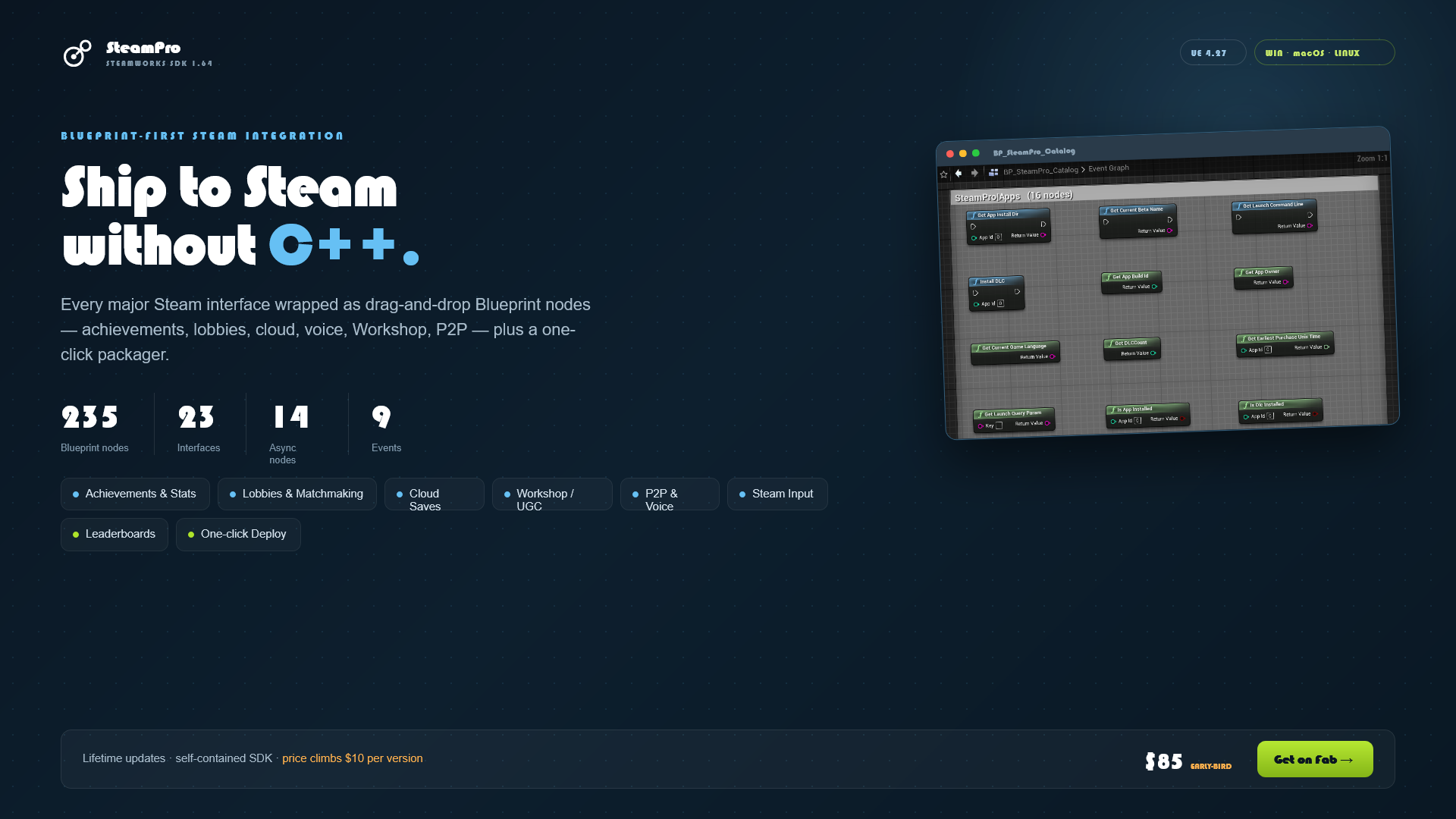
SteamPro
Blueprint-first Steamworks integration — interfaces, events, async nodes, and an editor deploy pipeline.
Quick Start
- Enable the plugin — SteamPro lives in your project's
Plugins/folder; enabled by default. - Run the Steam client and log in. Steamworks requires the desktop client.
- Set your App ID —
Project Settings ▸ SteamPro ▸ SteamPro Runtime ▸ Steam Identifiers ▸ App ID(blank falls back to480= Spacewar). - Use it in Blueprint — every interface is a static function library:
Is Steam Running     → Branch
Get Local Steam ID   → Print String
Get Persona Name     → Print String
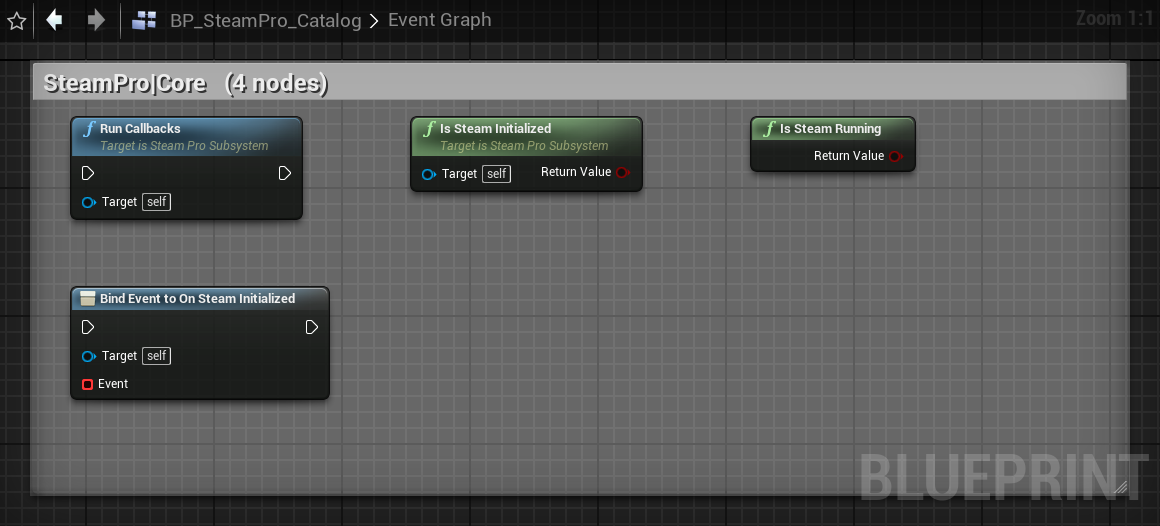
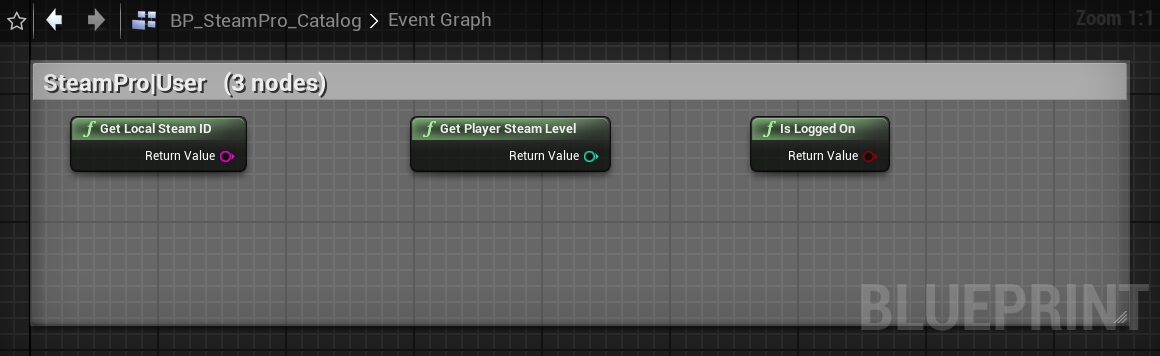
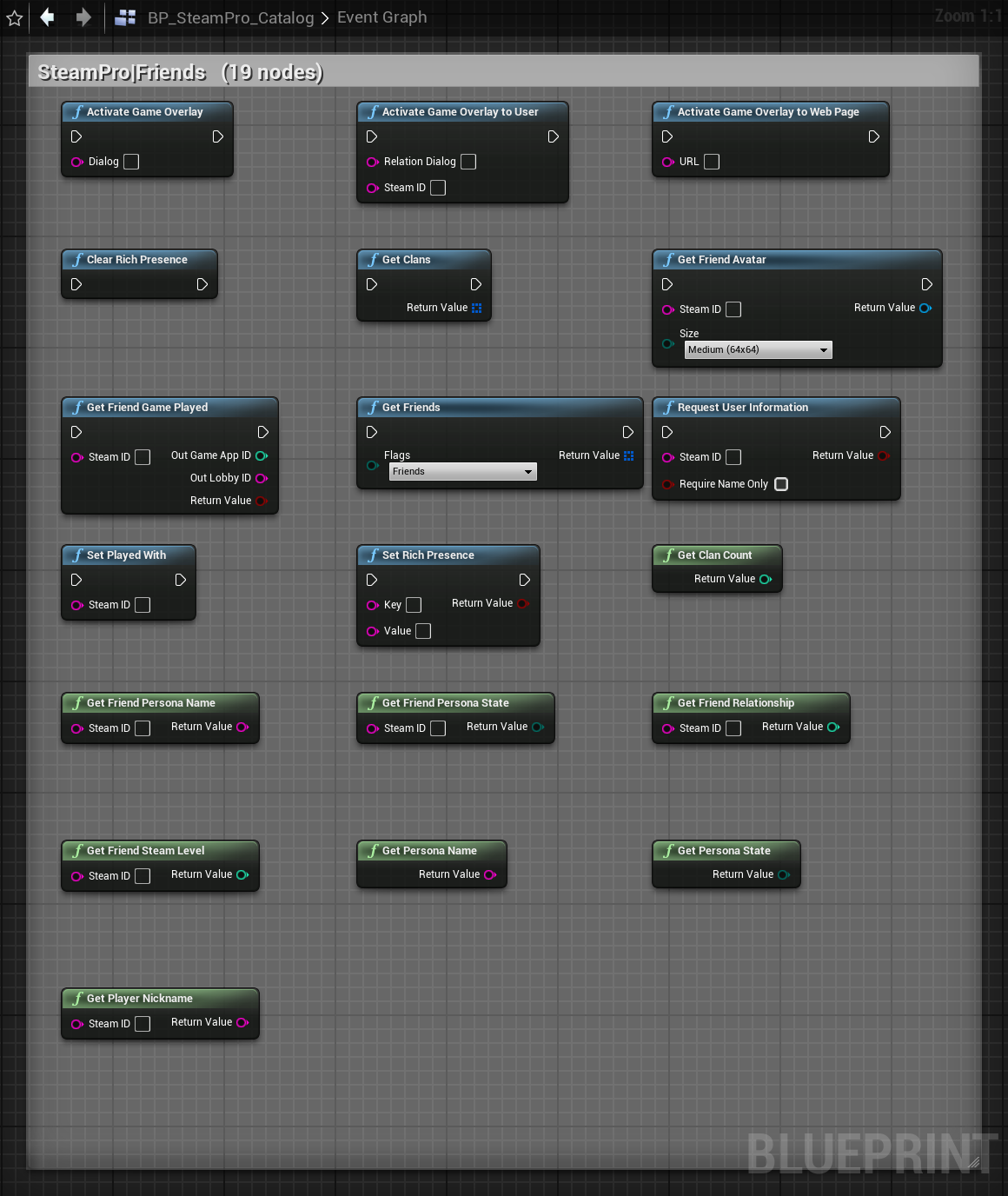
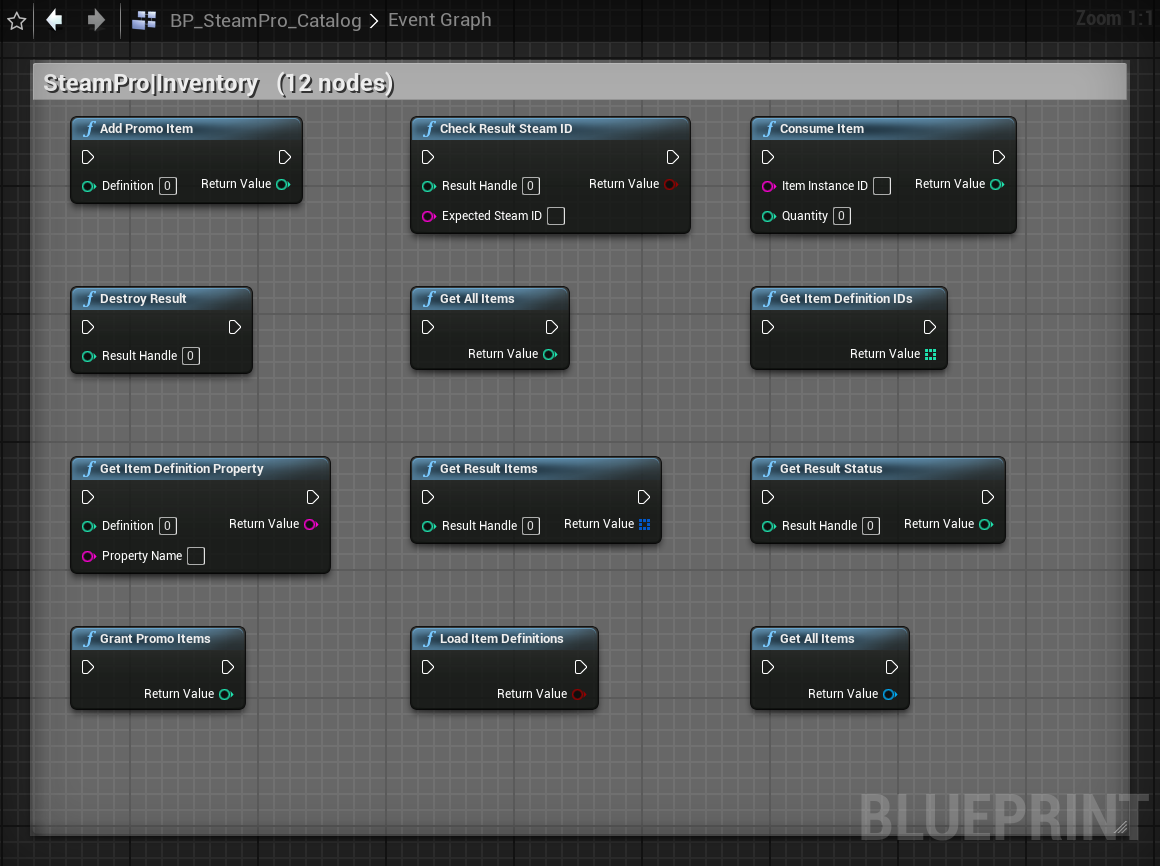
Browse every node: open BP_SteamPro_Catalog from the Blueprint Gallery — a ready-made Blueprint that catalogs and demonstrates all SteamPro nodes grouped by interface.
Steam IDs are exposed as strings (decimal uint64) since Blueprint has no 64-bit integer pin. Pass them straight back into any function that takes a Steam ID.
Editor / PIE Testing
SteamPro can initialize Steam inside the editor for Play-In-Editor testing. Because the editor isn't launched through Steam, the subsystem (under WITH_EDITOR) publishes the App ID before init: it sets the SteamAppId/SteamGameId environment variables and writes steam_appid.txt next to the editor executable. Configure in Project Settings ▸ SteamPro ▸ SteamPro Runtime.
| Setting | Group | Default | Purpose |
|---|---|---|---|
| App ID | Steam Identifiers | blank | Your real Steam App ID (string) — used for runtime init + deploy |
| Depot ID | Steam Identifiers | blank | Your Steam Depot ID (string) for uploading builds |
| Steam Dev App ID | Editor Testing | 480 | Fallback App ID in editor when App ID is blank |
| Initialize In Editor | Editor Testing | true | Init Steam during PIE |
| Force App Id For Editor | Editor Testing | true | Publish App ID via env var + steam_appid.txt |
| Keep Alive Between PIE | Editor Testing | true | Skip shutdown on PIE end so repeated Play works |
Init App ID resolves in order: App ID → Steam Dev App ID → 480. Press Play with Steam running, then read the on-screen panel or the Output Log filtered to LogSteamPro. Shipping builds are unaffected.
Architecture
| Module | Type | Role |
|---|---|---|
SteamPro | Runtime | Libraries, async nodes, subsystem, events, test harness |
SteamProEditor | Editor | "Deploy to Steam" toolbar button + settings |
SteamProSDK | ThirdParty | Wires the bundled SDK 1.64 headers/libs/dll |
USteamProSubsystem (Game Instance Subsystem) owns the Steam lifecycle: init on start, RunCallbacks each frame, shutdown on teardown. It exposes IsSteamInitialized and every runtime event delegate.
Feature Summary
All 235 Blueprint nodes, grouped by interface. "Async" counts the latent action nodes within each group.
| # | Interface | Class(es) | Nodes | Async |
|---|---|---|---|---|
| 1 | Core / Utils / User / Friends / Apps / Stats | USteamProLibrary | 65 | — |
| 2 | Cloud / RemoteStorage | USteamProCloudLibrary | 14 | — |
| 3 | GameServer | USteamProGameServerLibrary | 18 | — |
| 4 | GameServerStats | USteamProGameServerStatsLibrary | 9 | — |
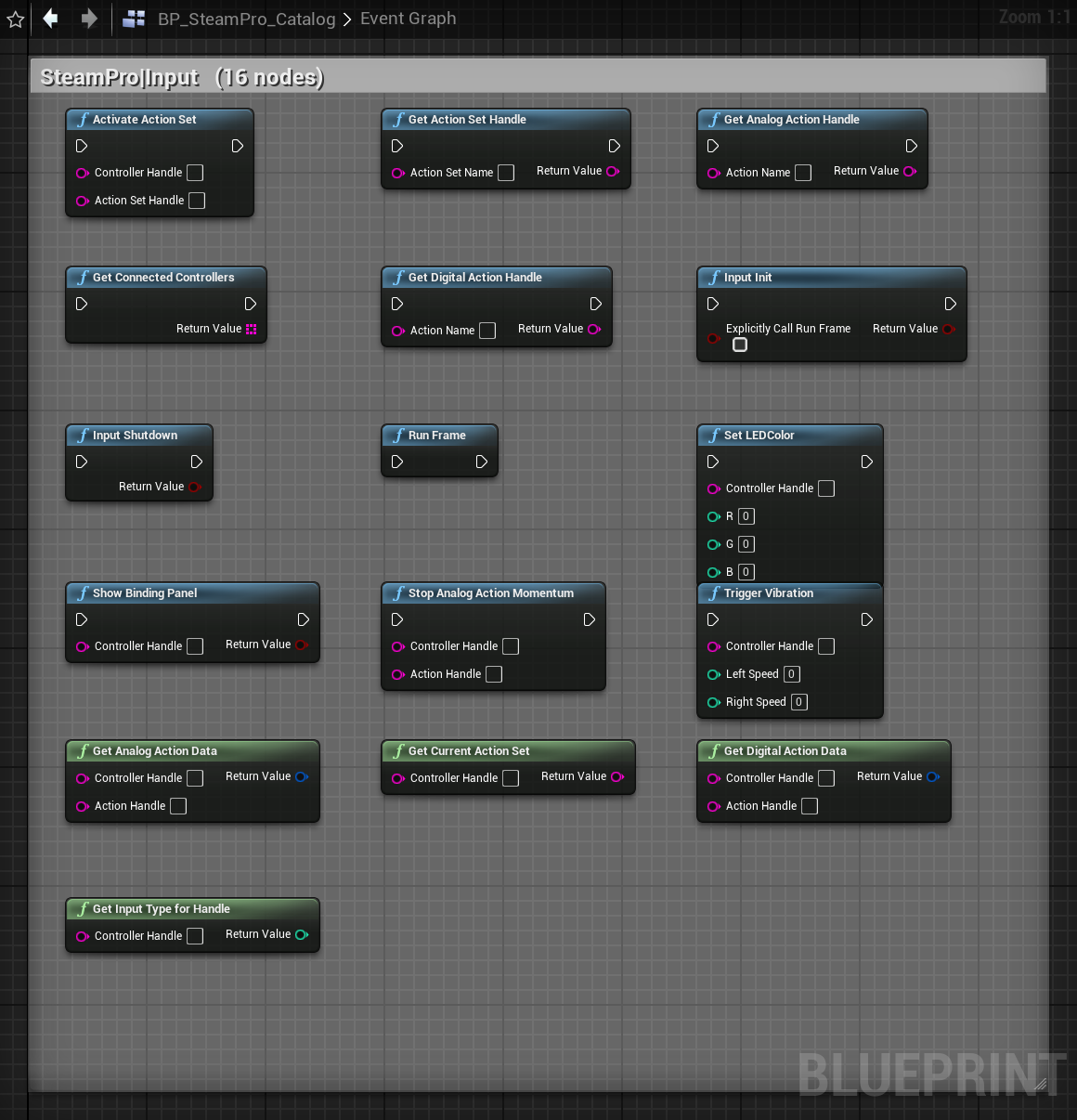
| 5 | Input | USteamProInputLibrary | 16 | — |
| 6 | Inventory | USteamProInventoryLibrary + async | 12 | 1 |
| 7 | Auth | USteamProAuthLibrary + async | 6 | 2 |
| 8 | Matchmaking / Lobbies | USteamProLobbyLibrary + async | 14 | 4 |
| 9 | Leaderboards | async nodes | 2 | 2 |
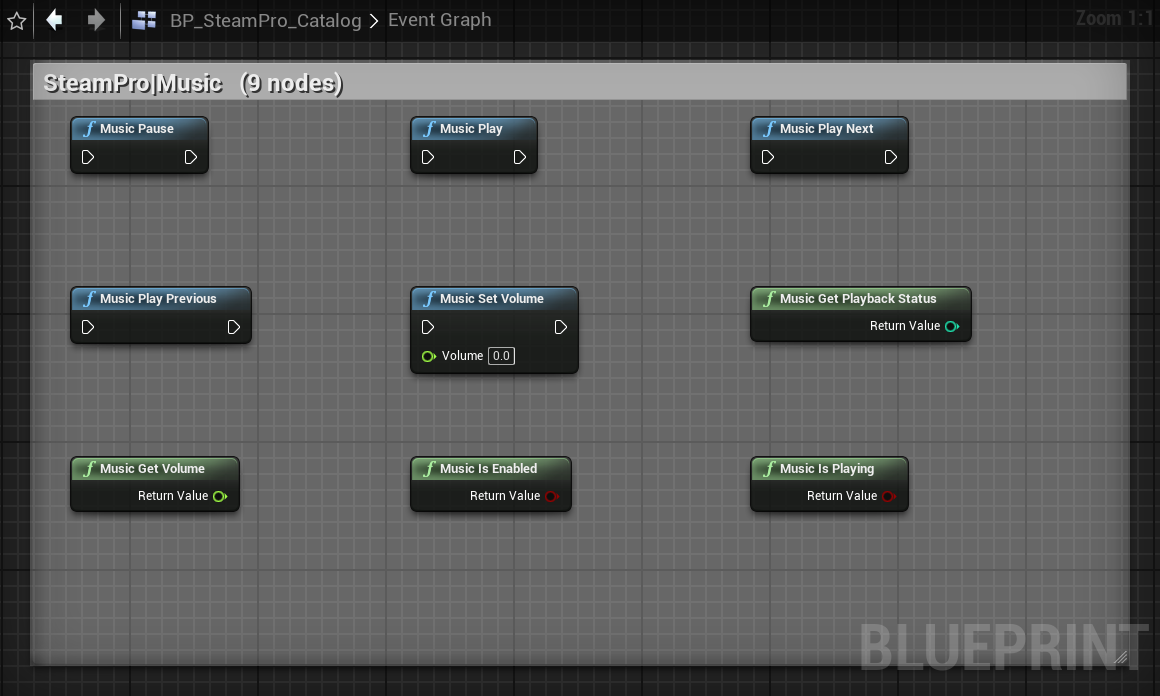
| 10 | Music & Screenshots | USteamProMediaLibrary | 15 | — |
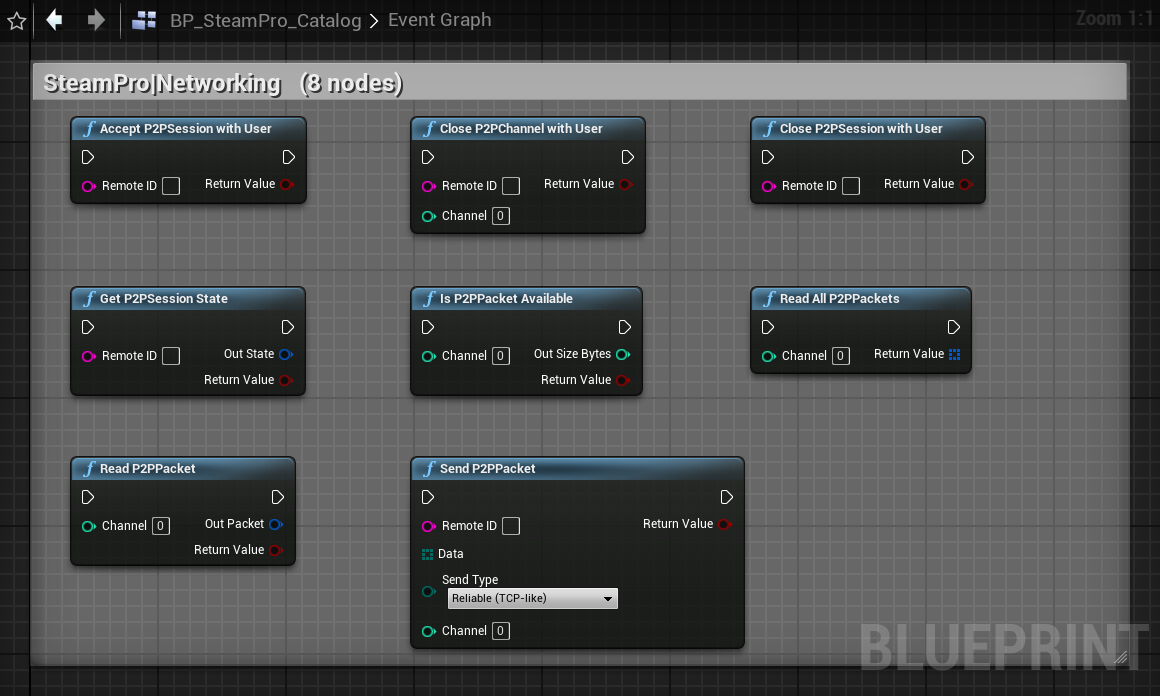
| 11 | Networking (P2P) | USteamProNetworkingLibrary | 8 | — |
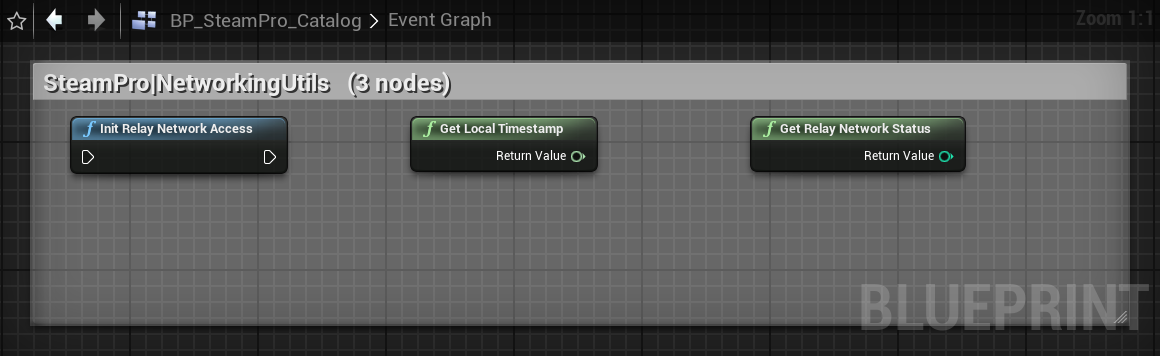
| 12 | NetworkingUtils | USteamProNetworkingUtilsLibrary | 3 | — |
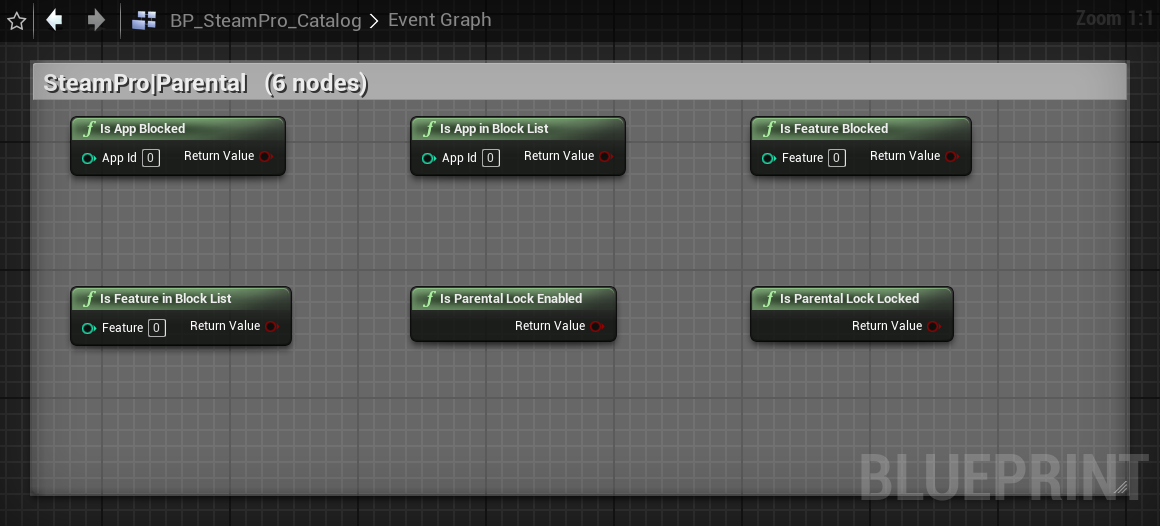
| 13 | Parental Settings | USteamProParentalLibrary | 6 | — |
| 14 | Parties | USteamProPartiesLibrary | 3 | — |
| 15 | Remote Play | USteamProRemotePlayLibrary | 7 | — |
| 16 | Matchmaking Servers (browser) | USteamProServerBrowserLibrary + async | 6 | 1 |
| 17 | Timeline | USteamProTimelineLibrary | 5 | — |
| 18 | Video | USteamProVideoLibrary | 2 | — |
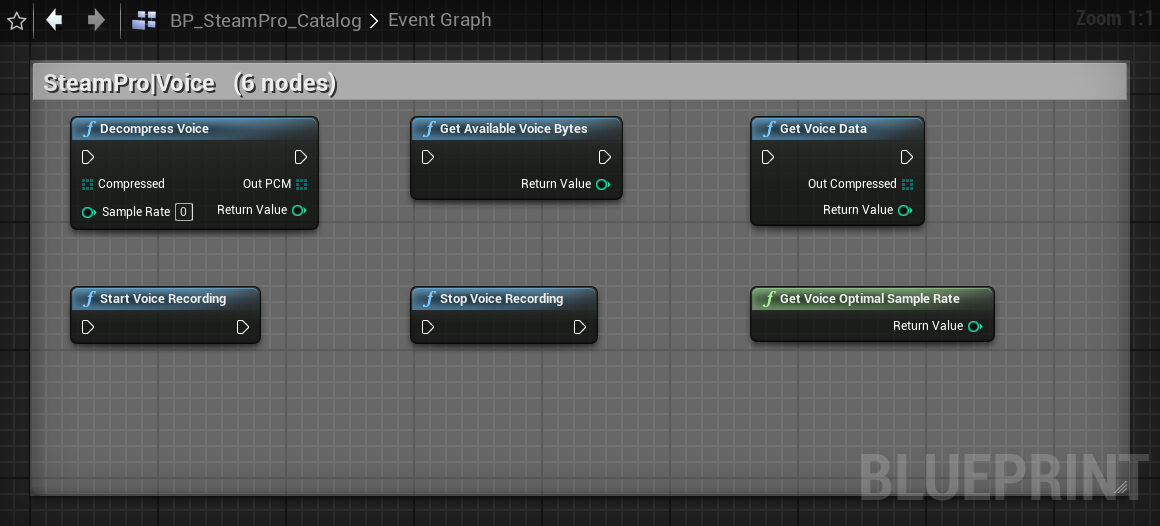
| 19 | Voice | USteamProVoiceLibrary | 6 | — |
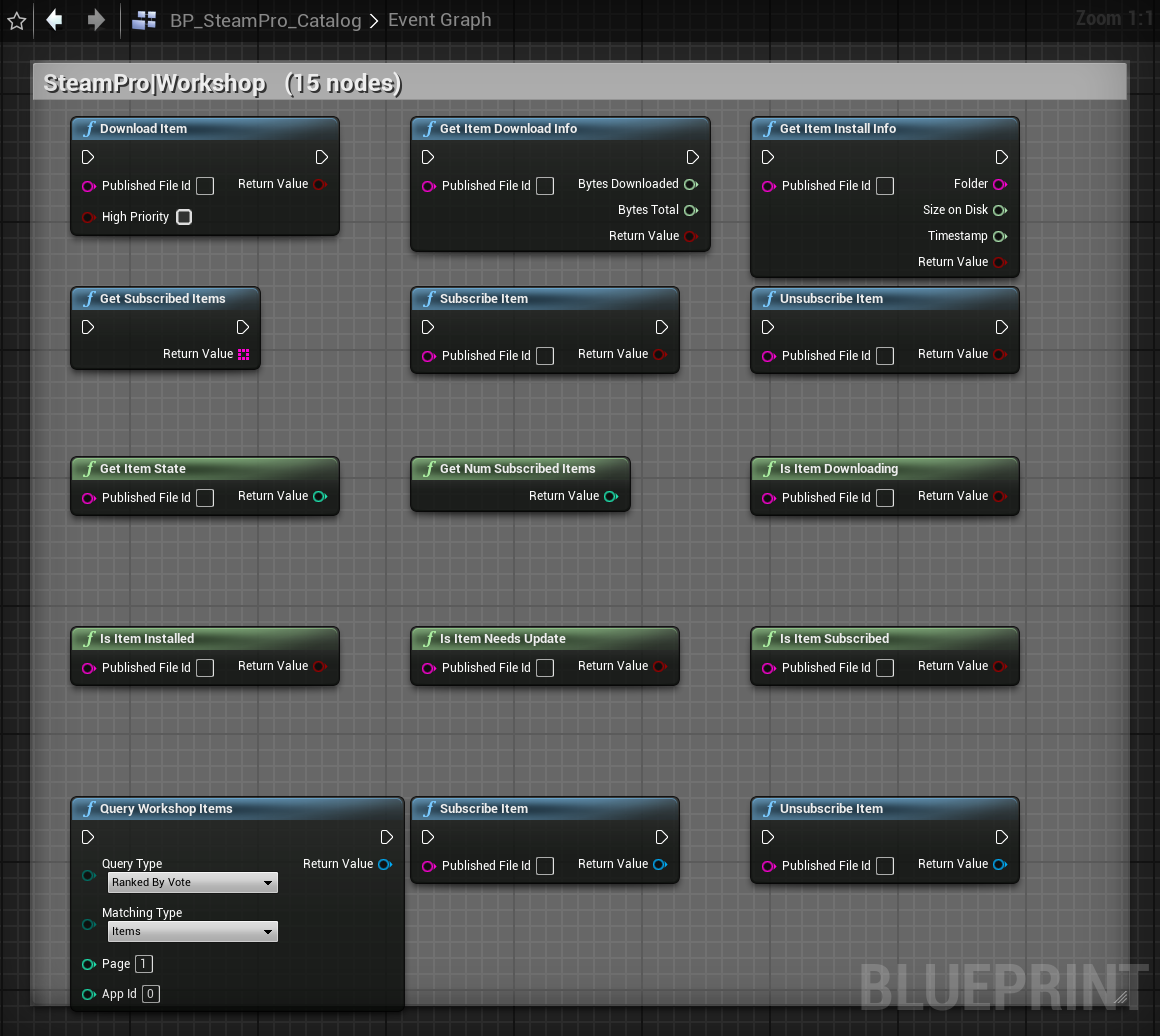
| 20 | UGC / Workshop | USteamProWorkshopLibrary + async | 15 | 3 |
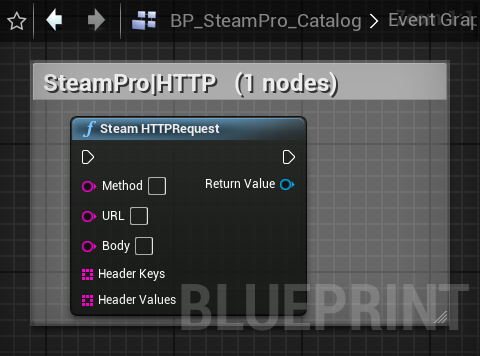
| 21 | HTTP | USteamProHTTPRequest | 1 | 1 |
| 22 | Core control | USteamProSubsystem | 2 | — |
| 23 | Runtime events | USteamProSubsystem (delegates) | 9 ev | — |
| Total | 235 | 14 | ||
Blueprint data types — 11 structs (Friend, LobbyMember, LeaderboardEntry, P2PPacket, P2PSessionState, ServerInfo, InventoryItem, WorkshopItem, DigitalActionData, AnalogActionData, ControllerHandle) and 11 enums (persona state, friend flags, avatar size, lobby type, P2P send, leaderboard sort/display/upload/request, UGC query/match type).
Interface Reference
Every function safely no-ops / returns a default if Steam isn't initialized.
Core & Utils
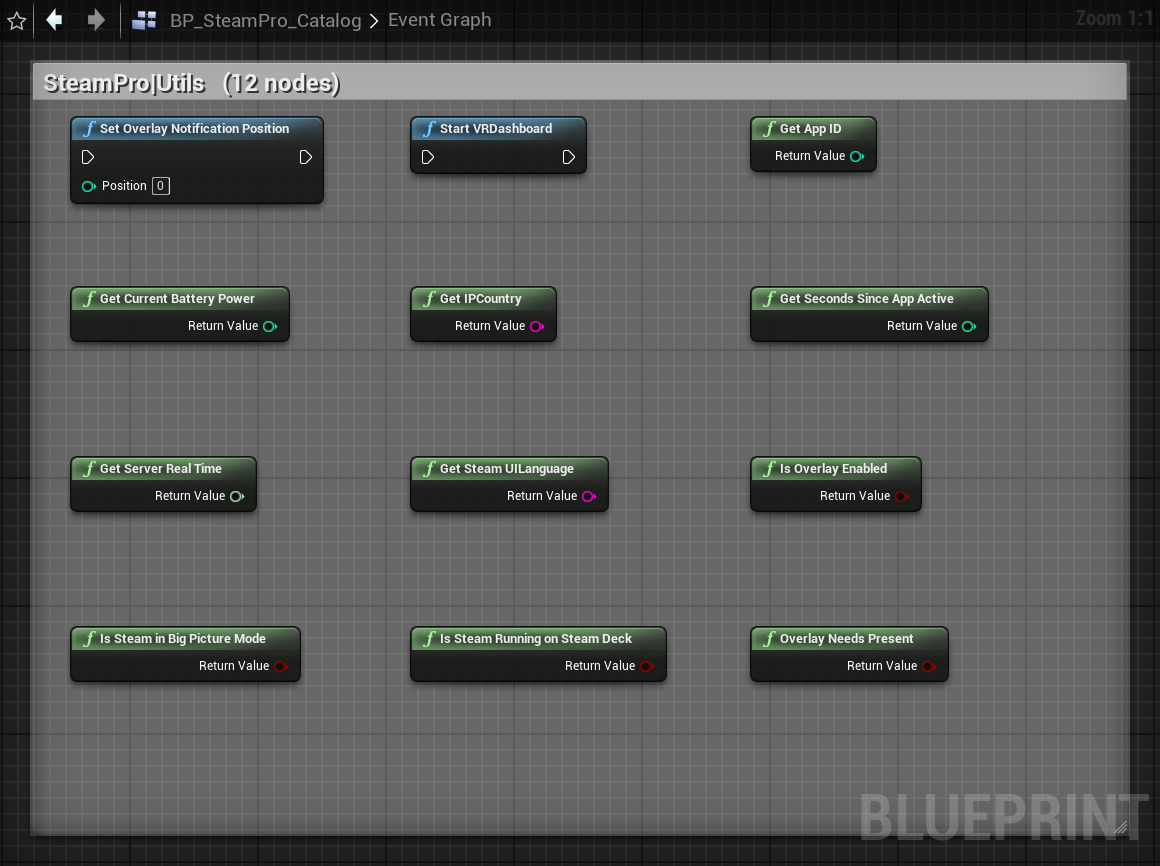
USteamProLibraryAppID, country, UI language, server time, Big Picture, Steam Deck, overlay enabled, overlay position, VR dashboard.
User
USteamProLibraryGetLocalSteamID, IsLoggedOn, GetPlayerSteamLevel.
Friends
USteamProLibraryPersona name/state, friends list, rich presence, overlay (dialog/user/web), avatar→Texture2D, game played, level, relationship, nickname, clans.
Apps
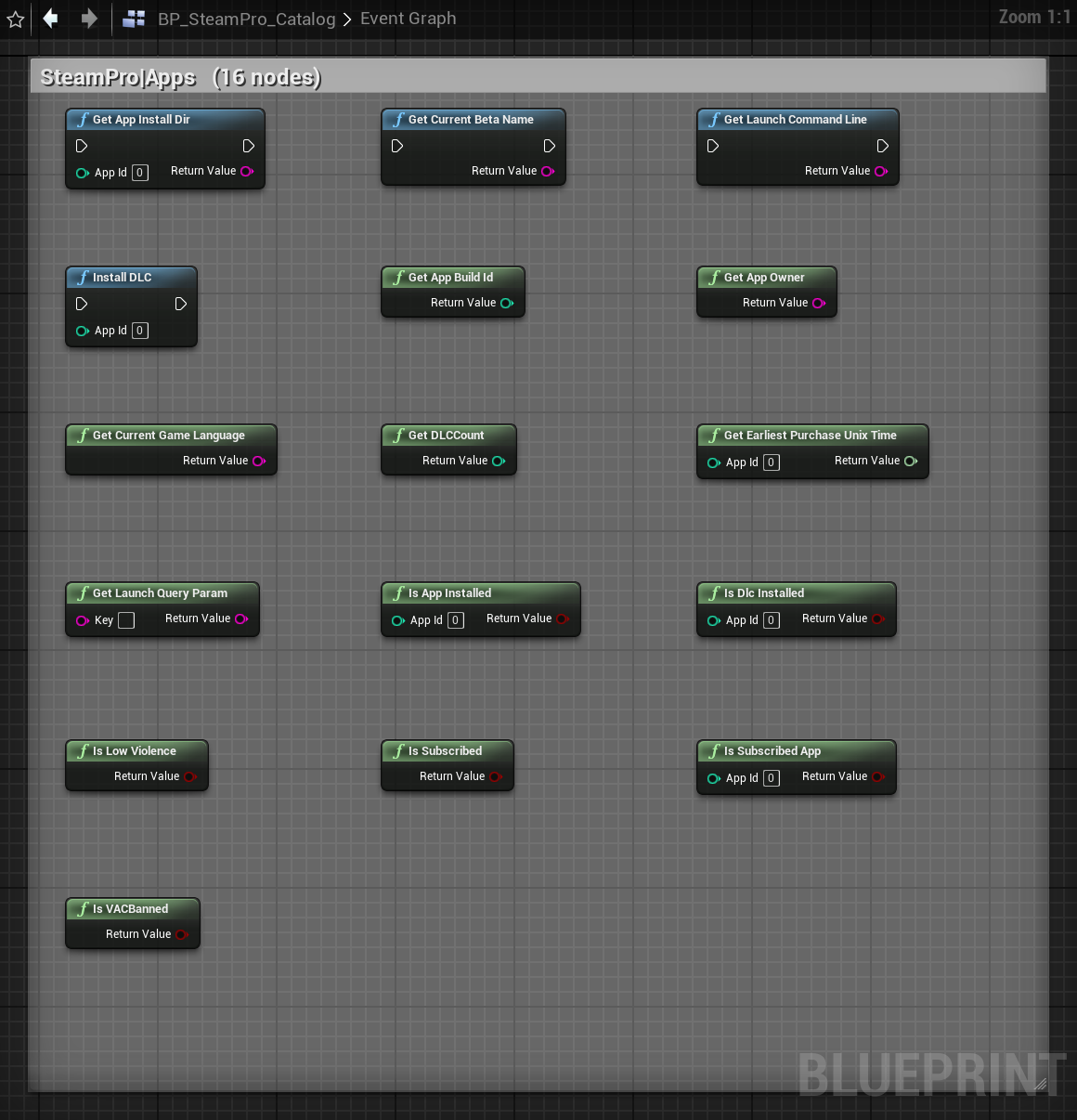
USteamProLibraryDLC, subscribed, language, build id, install dir, beta name, launch cmdline/params, app owner.
Stats / Achievements / Leaderboards
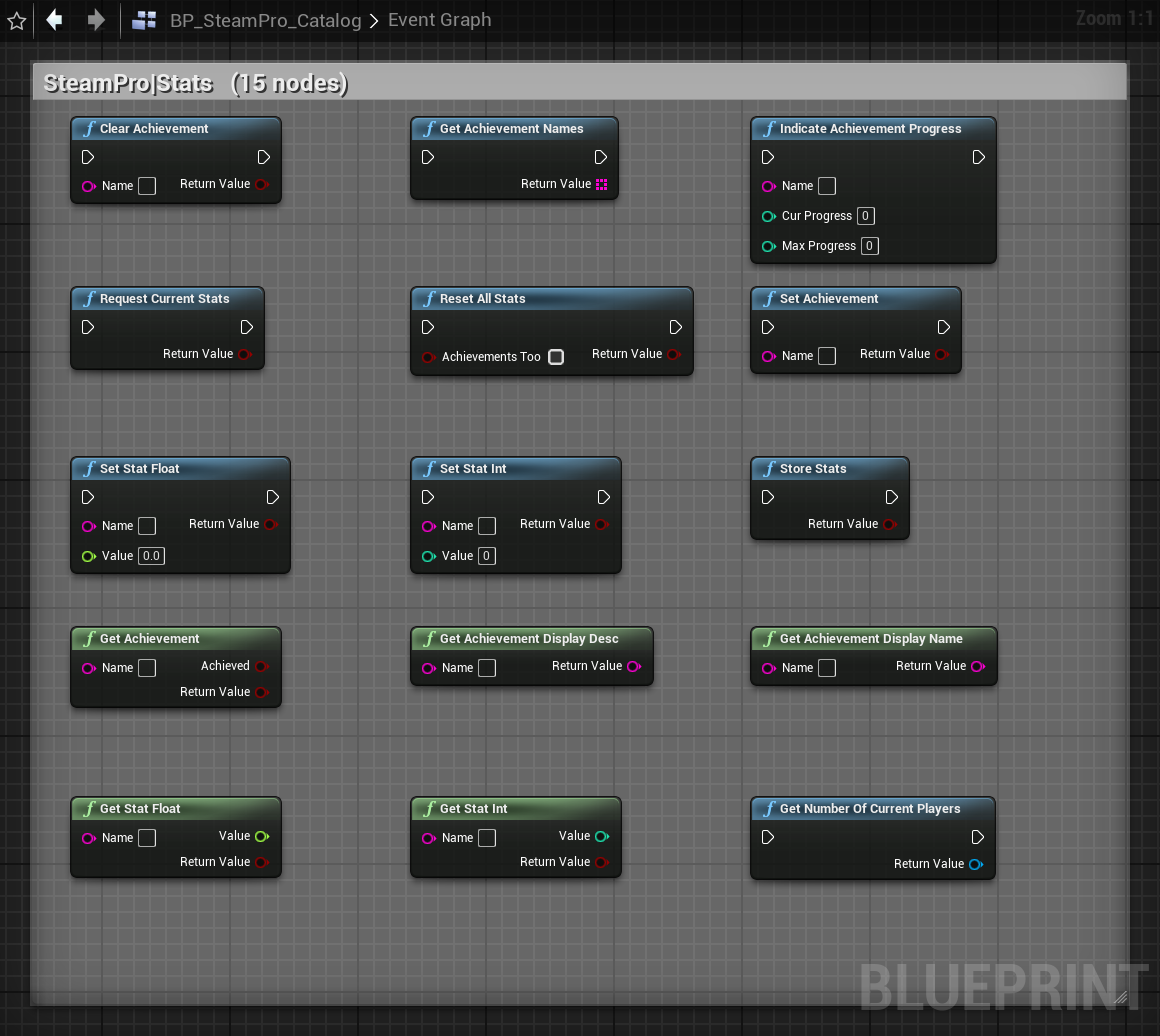
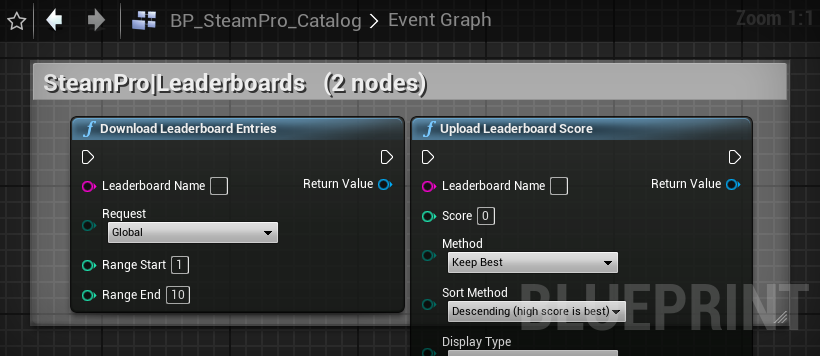
USteamProLibrary + asyncAchievements, int/float stats, store. Async: UploadLeaderboardScore, DownloadLeaderboardEntries, GetNumberOfCurrentPlayers.
Matchmaking / Lobbies
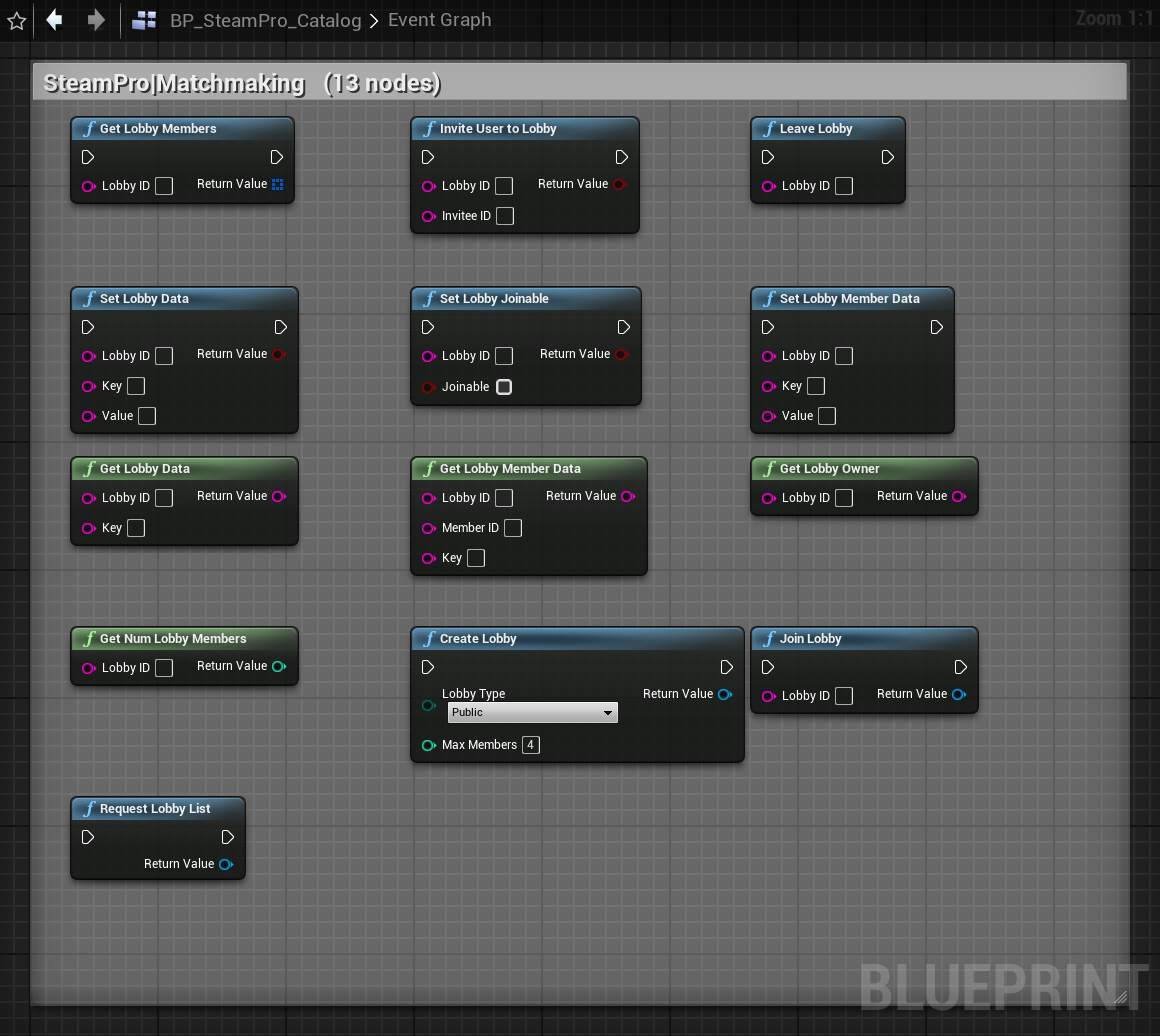
USteamProLobbyLibrary + asyncAsync: CreateLobby, JoinLobby, RequestLobbyList. Sync: members, data, owner, joinable, invite.
Matchmaking Servers
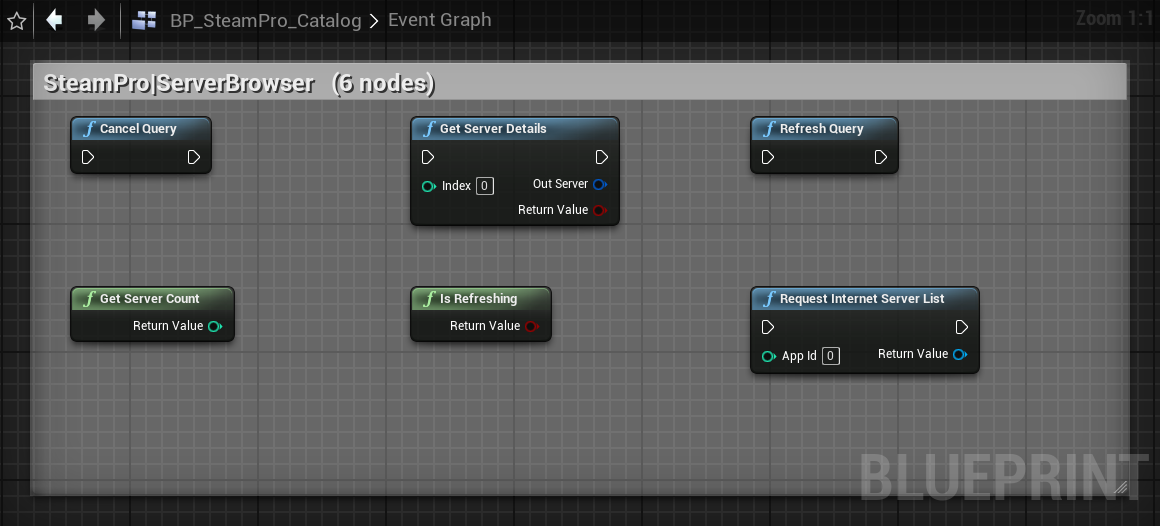
USteamProServerBrowserLibrary + asyncRequestInternetServerList → FSteamProServerInfo list; refresh/cancel/count/details.
Cloud / RemoteStorage
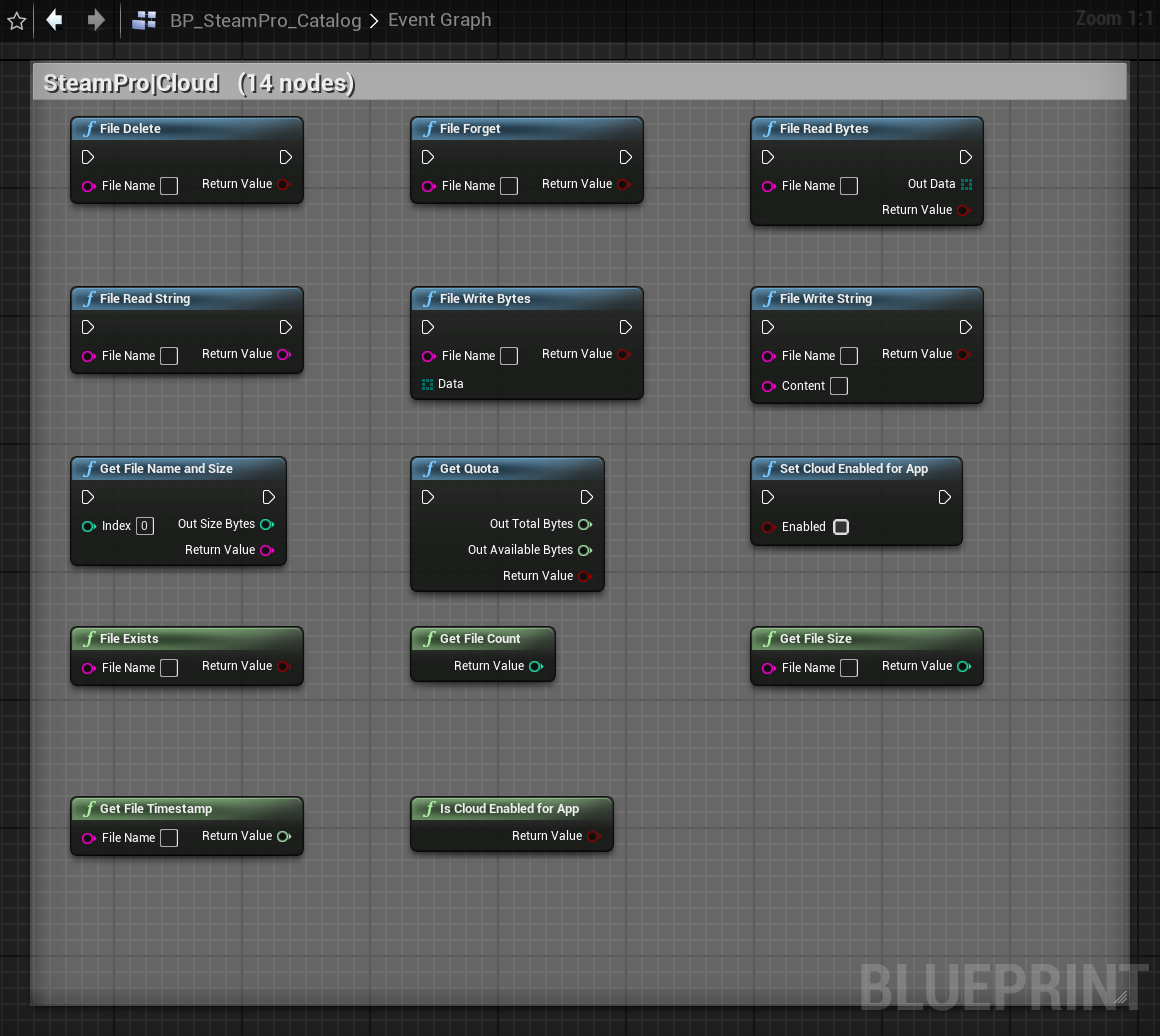
USteamProCloudLibraryRead/write string & bytes, delete/forget, size/timestamp, enumeration, quota, cloud-enabled.
Auth
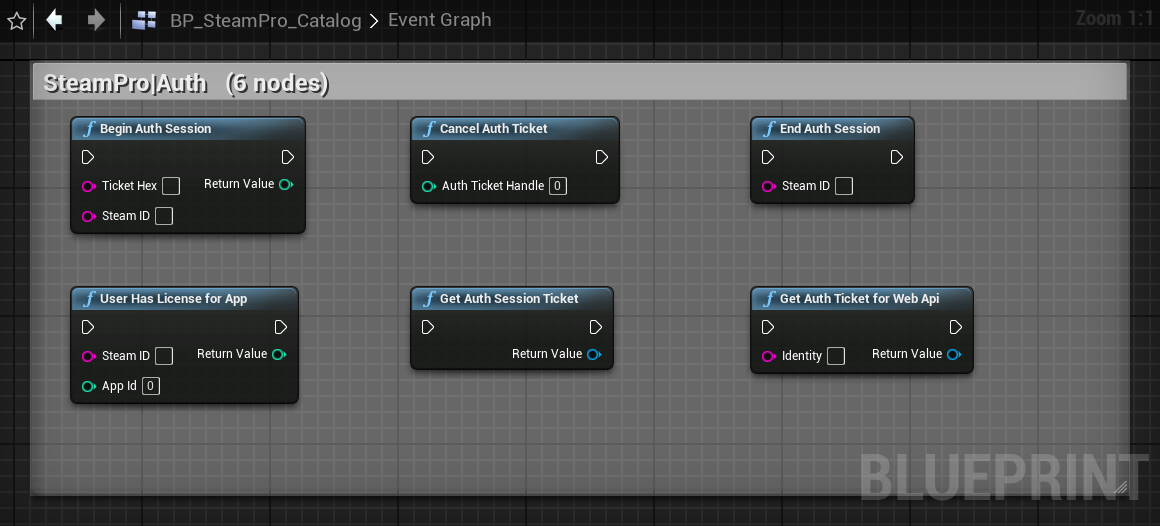
USteamProAuthLibrary + asyncBeginAuthSession/End/Cancel, license check. Async: GetAuthSessionTicket, GetAuthTicketForWebApi.
Networking (P2P)
USteamProNetworkingLibrarySend/read packets, accept/close sessions, session state. See OnP2PSessionRequest.
NetworkingUtils
USteamProNetworkingUtilsLibraryInitRelayNetworkAccess, GetRelayNetworkStatus, GetLocalTimestamp.
Voice
USteamProVoiceLibraryRecord, GetVoiceData (compressed), DecompressVoice (PCM), optimal sample rate.
Input
USteamProInputLibraryControllers, action sets/handles, digital/analog data, vibration, LED, binding panel.
Inventory
USteamProInventoryLibrary + asyncItems, definitions, consume, promo grants. Async: GetAllItems.
UGC / Workshop
USteamProWorkshopLibrary + asyncSubscribed items, state, install/download info, download. Async: Subscribe, Unsubscribe, Query.
HTTP
USteamProHTTPRequestAsync web request: method/url/body/headers → status + body.
Music & Screenshots
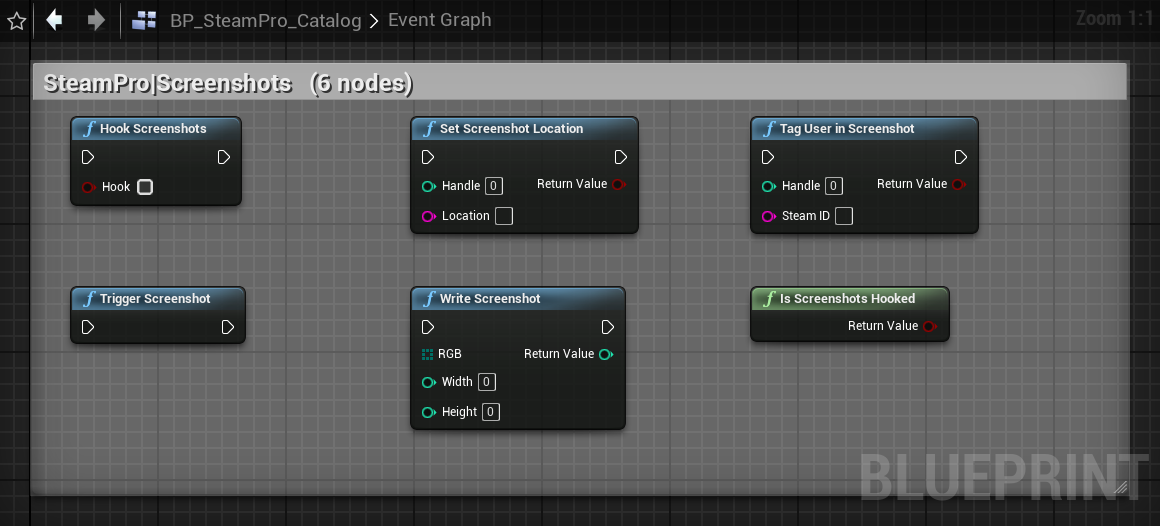
USteamProMediaLibraryPlayback control; trigger/hook/write/tag screenshots.
Timeline
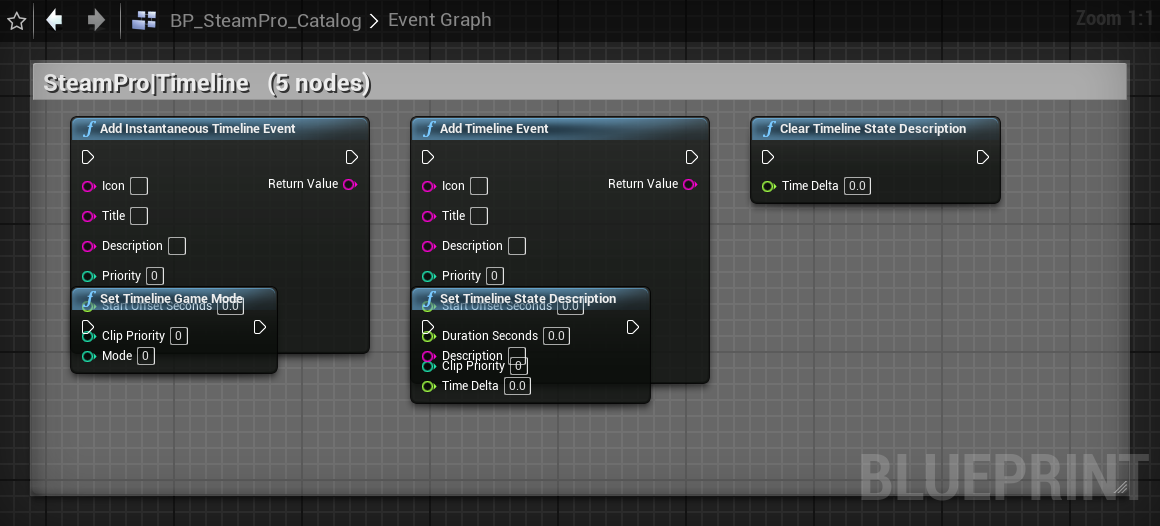
USteamProTimelineLibraryState descriptions, events, game mode (Steam Recording / Game Recording).
RemotePlay
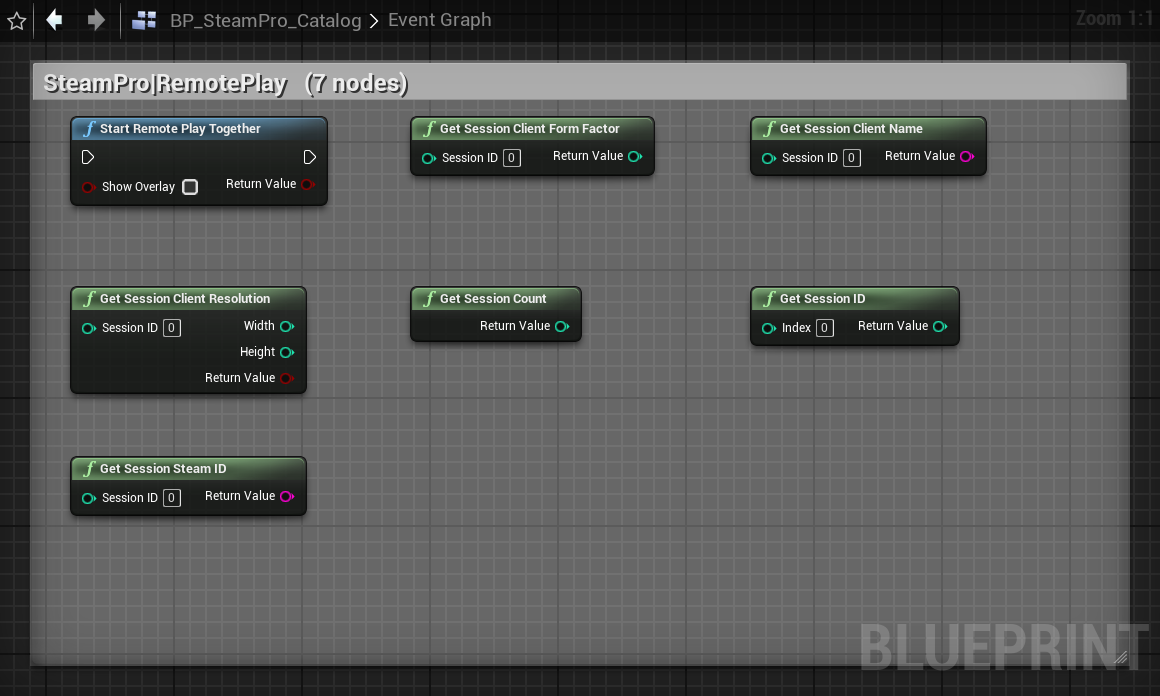
USteamProRemotePlayLibrarySession count/IDs, client name/form-factor/resolution, Remote Play Together.
Parties
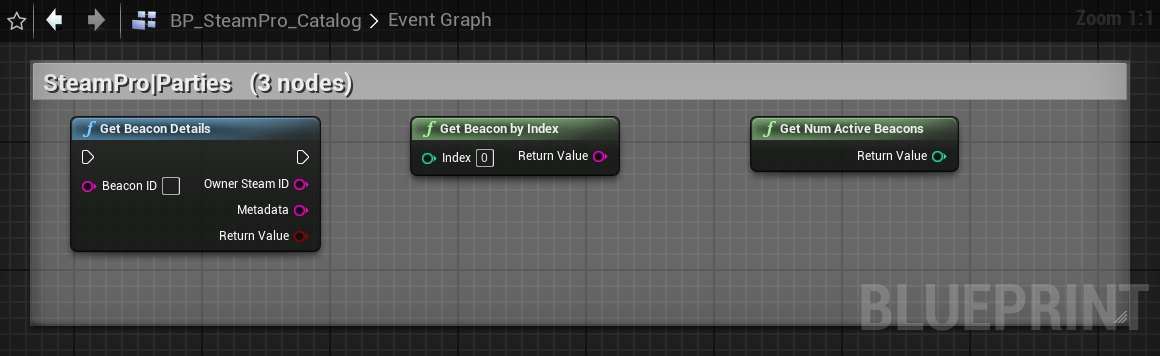
USteamProPartiesLibraryActive beacons, beacon details.
ParentalSettings
USteamProParentalLibraryLock state, app/feature block checks.
Video
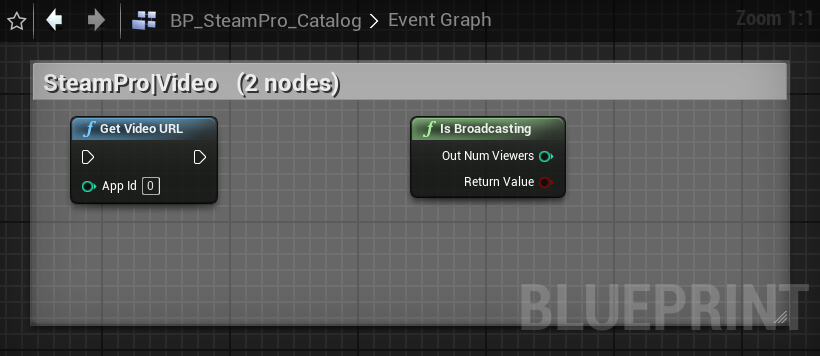
USteamProVideoLibraryGetVideoURL, IsBroadcasting.
GameServer / GameServerStats
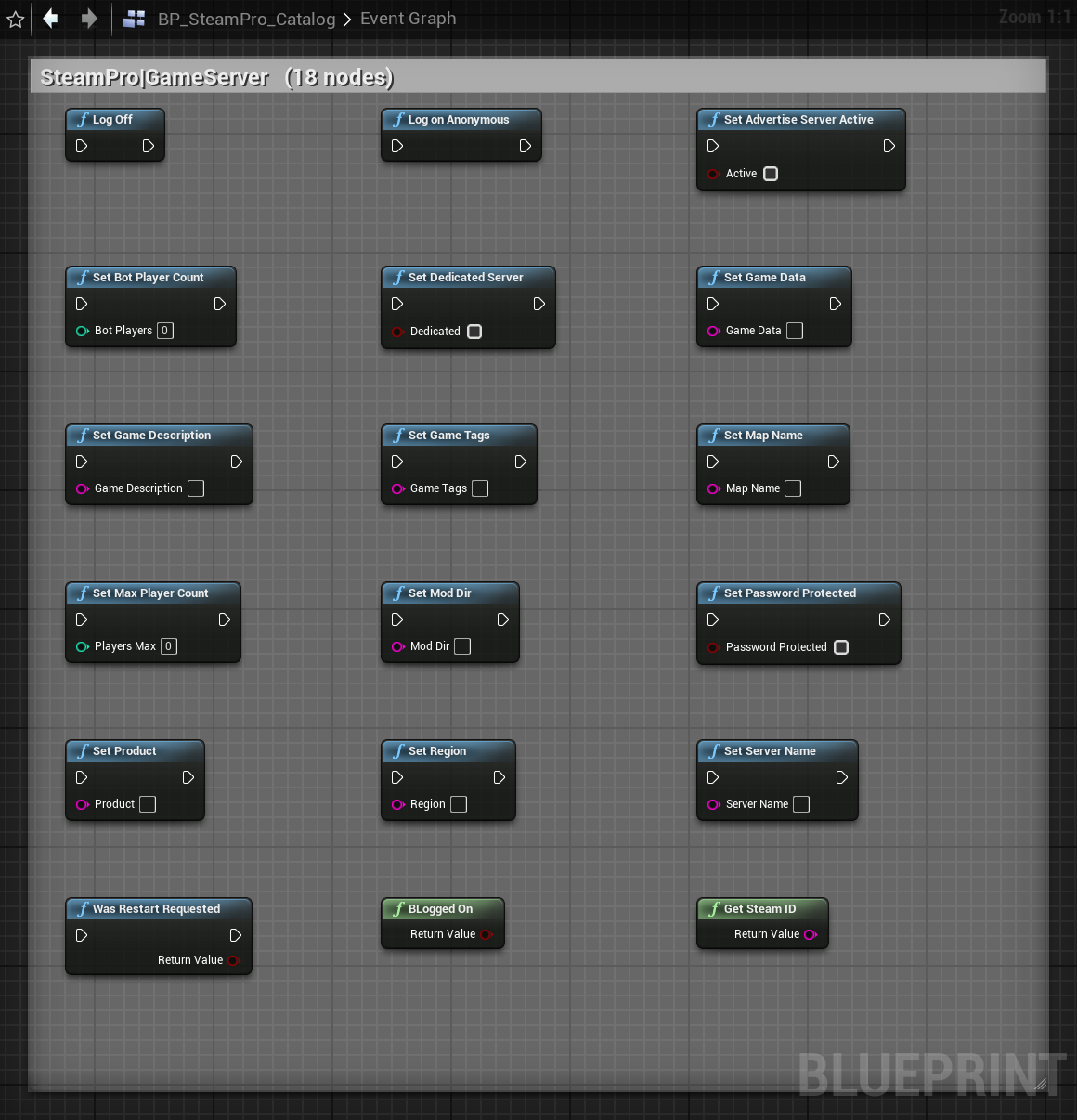
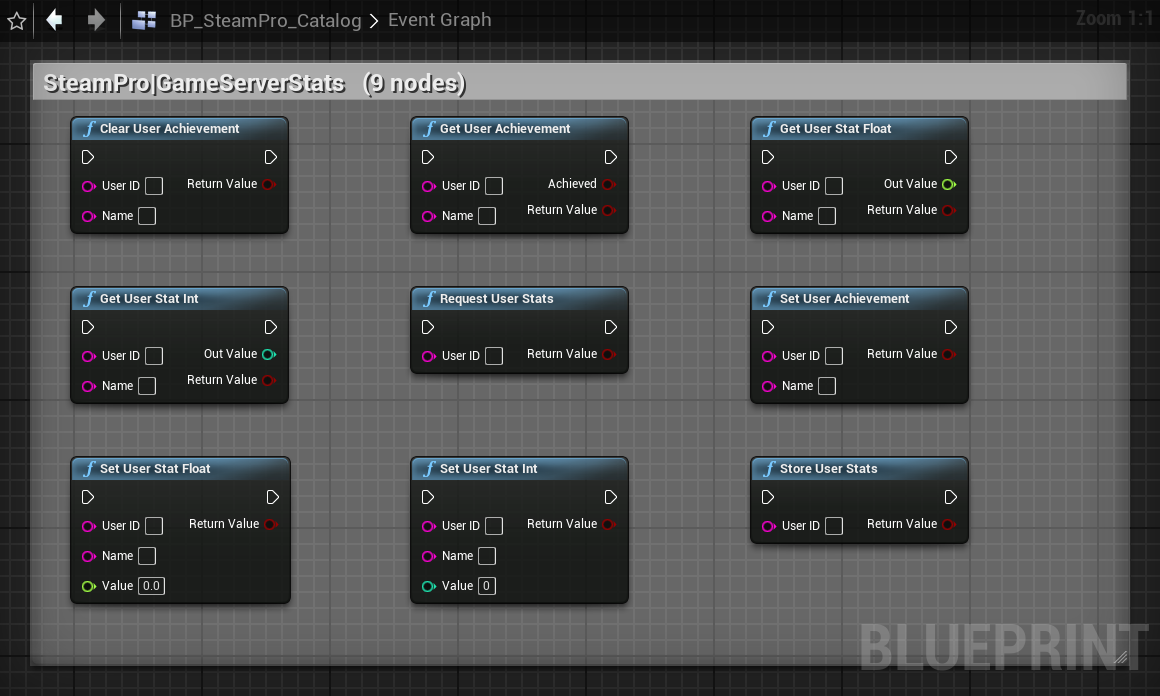
USteamProGameServer*LibraryServer config, logon, per-user server stats & achievements. Valid only in a game-server process.
Not available: ISteamGameSearch was removed from Steamworks SDK 1.64 (only a leftover callback-ID enum remains), so it cannot be wrapped.
Runtime Events
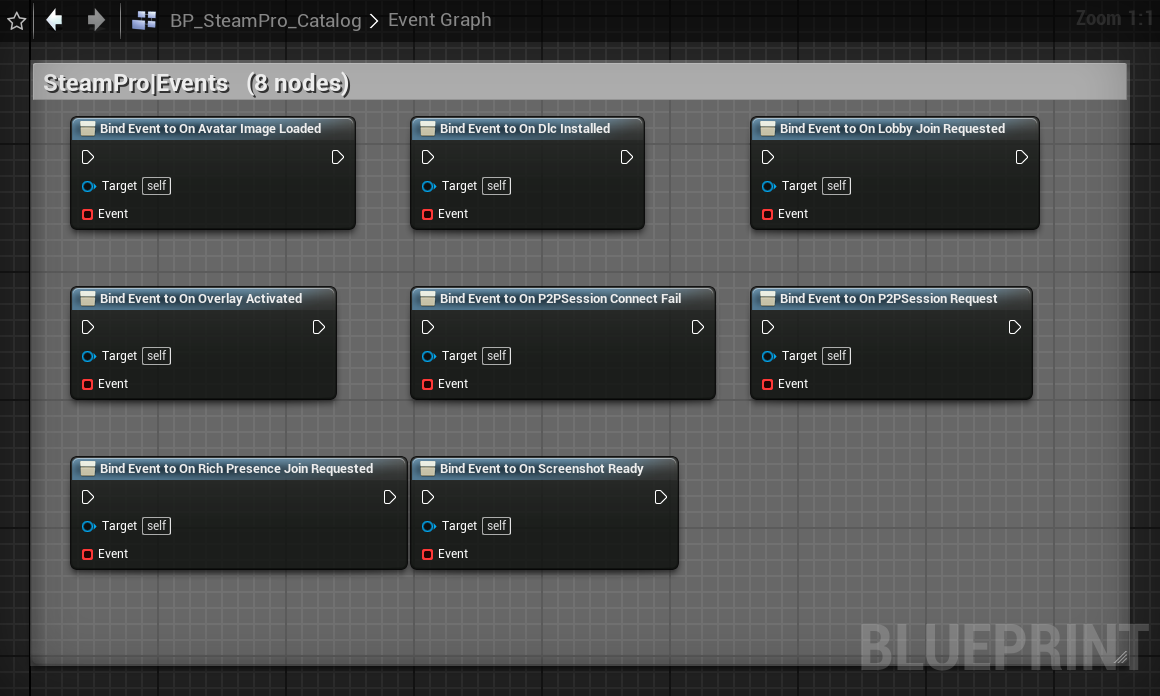
Get the SteamPro Subsystem and bind these BlueprintAssignable delegates:
| Event | Fires when |
|---|---|
| OnSteamInitialized(bSuccess) | After the first init attempt |
| OnOverlayActivated(bActive) | Steam overlay shown / hidden |
| OnLobbyJoinRequested(LobbyID, FriendID) | User accepted a lobby invite / "Join Game" |
| OnRichPresenceJoinRequested(FriendID, Connect) | Rich-presence "Join Game" (connect string) |
| OnAvatarImageLoaded(SteamID) | An avatar finished downloading |
| OnDlcInstalled(AppID) | A DLC finished installing |
| OnScreenshotReady(Handle, bSuccess) | A screenshot was captured |
| OnP2PSessionRequest(RemoteID) | A peer wants a P2P session — call AcceptP2PSessionWithUser |
| OnP2PSessionConnectFail(RemoteID, ErrorCode) | A P2P session failed |
Async Action Nodes
Leaderboards: UploadLeaderboardScore, DownloadLeaderboardEntries · Matchmaking: CreateLobby, JoinLobby, RequestLobbyList, RequestInternetServerList · Stats: GetNumberOfCurrentPlayers · Auth: GetAuthSessionTicket, GetAuthTicketForWebApi · Inventory: GetAllItems · Workshop: SubscribeItem, UnsubscribeItem, QueryWorkshopItems · HTTP: SteamHTTPRequest
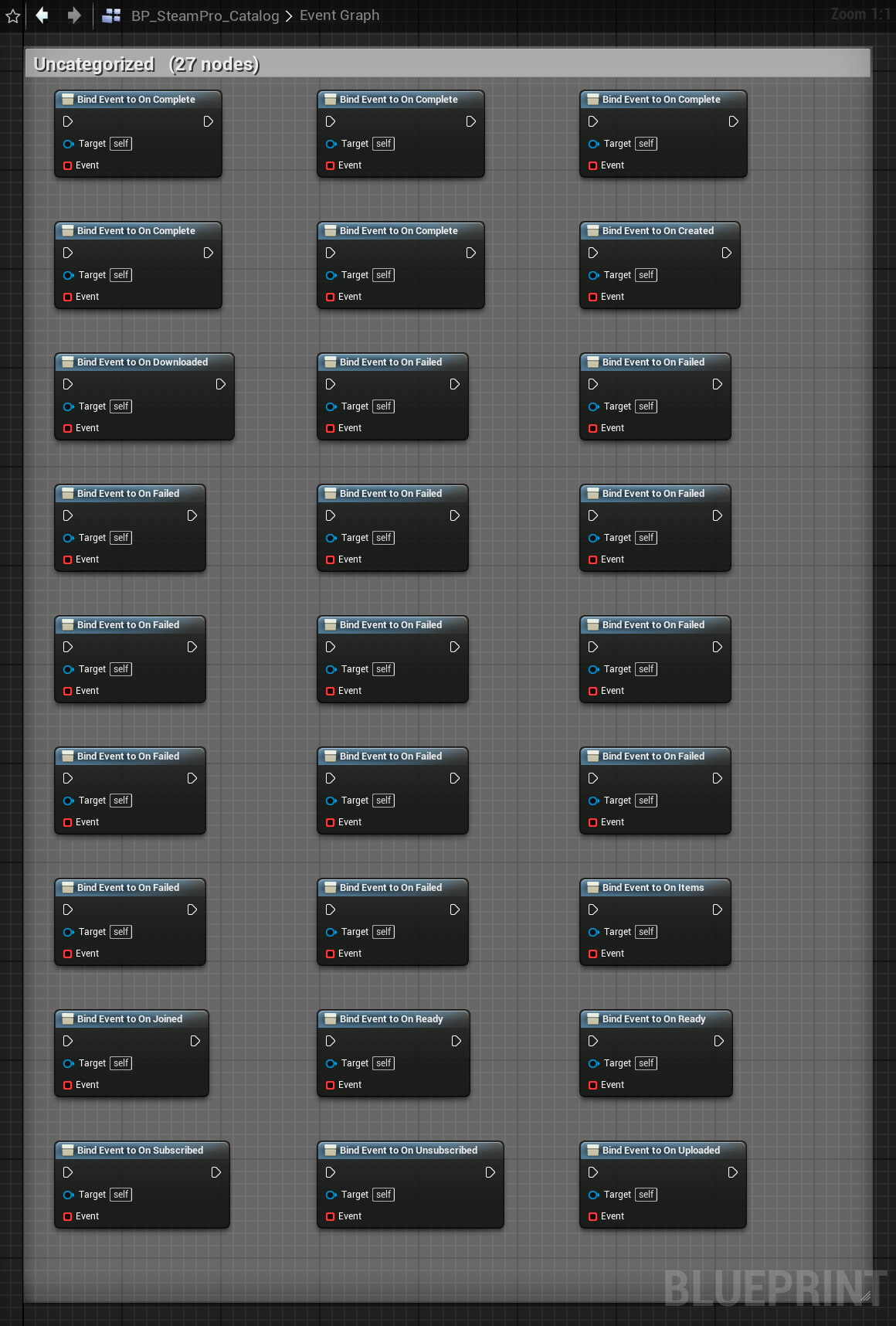
Each node exposes On… / OnFailed output execution pins.
Node Gallery — BP_SteamPro_Catalog
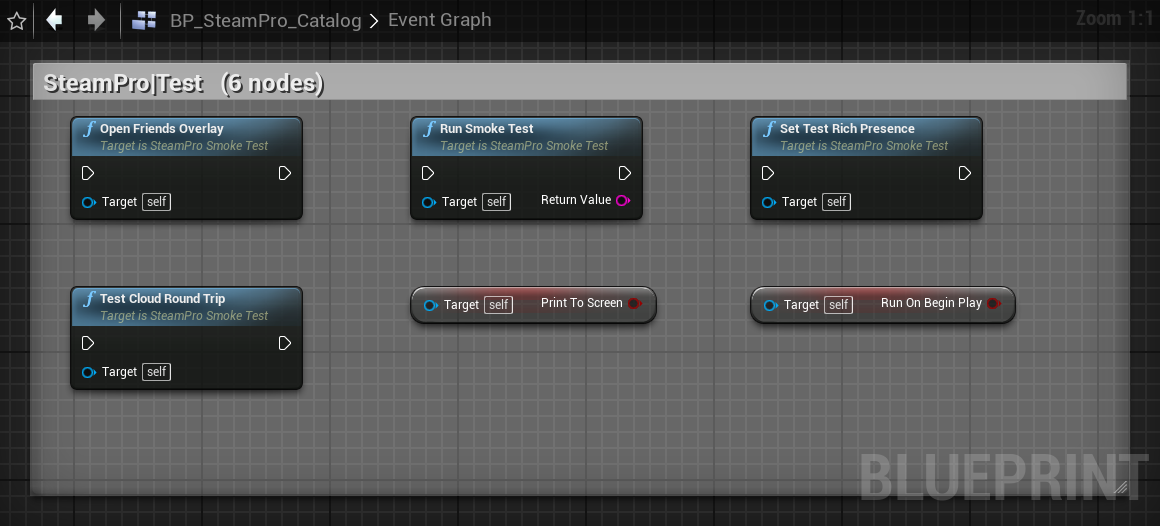
Screenshots from BP_SteamPro_Catalog, the ready-made Blueprint that lays out every SteamPro node grouped by interface. Click any image to view it full size.
Test Harness
Blueprint Catalog BP_SteamPro_Catalog
The recommended starting point for Blueprint users. Open BP_SteamPro_Catalog from the Blueprint Gallery — a ready-made Blueprint that lays out and demonstrates all 235 nodes grouped by interface (Core, Friends, Stats, Lobbies, Cloud, Voice, Workshop, Networking, …). Browse the API, copy node setups, and run any feature interactively. See the Node Gallery above for screenshots.
Multiplayer Dashboard USteamProMultiplayerWidget
Set SteamProTestGameMode as the map's GameMode Override and press Play. A professional, C++-built dashboard appears:
- Status pill — live connected / offline indicator
- Local Player — Steam avatar, persona name, SteamID, level, country
- Friends — full list with presence-colored dots, auto-refreshed every 2s
- Lobby — Create / Leave / Find / Friends Overlay, with the member list (owner starred)
- Public Lobbies — browsable list with per-row Join buttons
- Feature Console — ~30 buttons exercising every other interface (app info, achievements, leaderboards, current players, cloud, voice, workshop, inventory, screenshot, music, timeline, HTTP, auth ticket, relay status, controllers, server browser) with a scrolling log
- Auto-joins Steam invites and auto-accepts P2P session requests
Simple Panel
USteamProTestWidget — status + Refresh / Run Smoke Test / Overlay / Cloud / Rich Presence buttons.
Smoke Test Actor
ASteamProSmokeTest — drop into a level; auto-runs on BeginPlay, prints on-screen + to LogSteamPro, binds subsystem events. CallInEditor buttons in its Details panel.
Direct Blueprint
Call any USteamPro*Library node from a Level Blueprint or actor.
Deploy to Steam
The SteamProEditor module adds a Steam button (with the plugin icon) to the level-editor toolbar. Its dropdown: Package & Upload, Package Game Only, Upload Existing Build, Deploy Settings. App ID and Depot ID are set once in SteamPro ▸ SteamPro Runtime ▸ Steam Identifiers (shared with runtime). The rest lives in Project Settings ▸ SteamPro ▸ SteamPro Deploy:
| Setting | Notes |
|---|---|
| SteamCmd Path | Path to steamcmd.exe (download SteamCMD from Valve — not bundled) |
| Steam Username | Steam partner account used to upload |
| Build Description | Shown in the Steamworks build list |
| Set Live Branch | Branch to auto-set live (empty = do not set live) |
| Packaged Build Dir | Archive dir for packaging / content root for upload |
| Target Platform | Dropdown: Windows (Win64) / macOS / Linux |
| Build Configuration | Dropdown: Debug / DebugGame / Development / Test / Shipping |
The uploader generates an app_build_<appid>.vdf and launches SteamCMD in a visible console so you can complete Steam Guard on first login.
Platforms
| Platform | Supported | Library |
|---|---|---|
| Windows 64-bit | YES | steam_api64.dll |
| macOS | YES | libsteam_api.dylib |
| Linux 64-bit (SteamOS / Steam Deck) | YES | libsteam_api.so |
| Consoles | NO | Use platform NDA SDKs |
| iOS / Android | NO | Steam is not a mobile store |
Steam Deck runs the Linux build, or the Windows build via Proton.
Troubleshooting
| Symptom | Cause / Fix |
|---|---|
| Steam running : NO | Steam client not running / not logged in; or Dev App ID unset |
| Blank SteamID / persona | Steam not initialized — see above |
SteamAPI_Init() failed | Start Steam, confirm Dev App ID, keep "Force App Id For Editor" on |
| No achievements/stats for app 480 | Expected — define them under your own App ID |
| 2nd PIE shows not initialized | Keep "Keep Alive Between PIE" enabled |
| Toolbar button missing | Fully close & reopen the editor (UE4 doesn't hot-reload plugin DLLs) |
| Upload fails | Set the SteamCMD path; complete Steam Guard in the console window |
| Plugin changes don't apply | Close editor, delete Binaries/ + Intermediate/, rebuild, reopen |
Log categories: LogSteamPro (runtime), LogSteamProEditor (deploy).