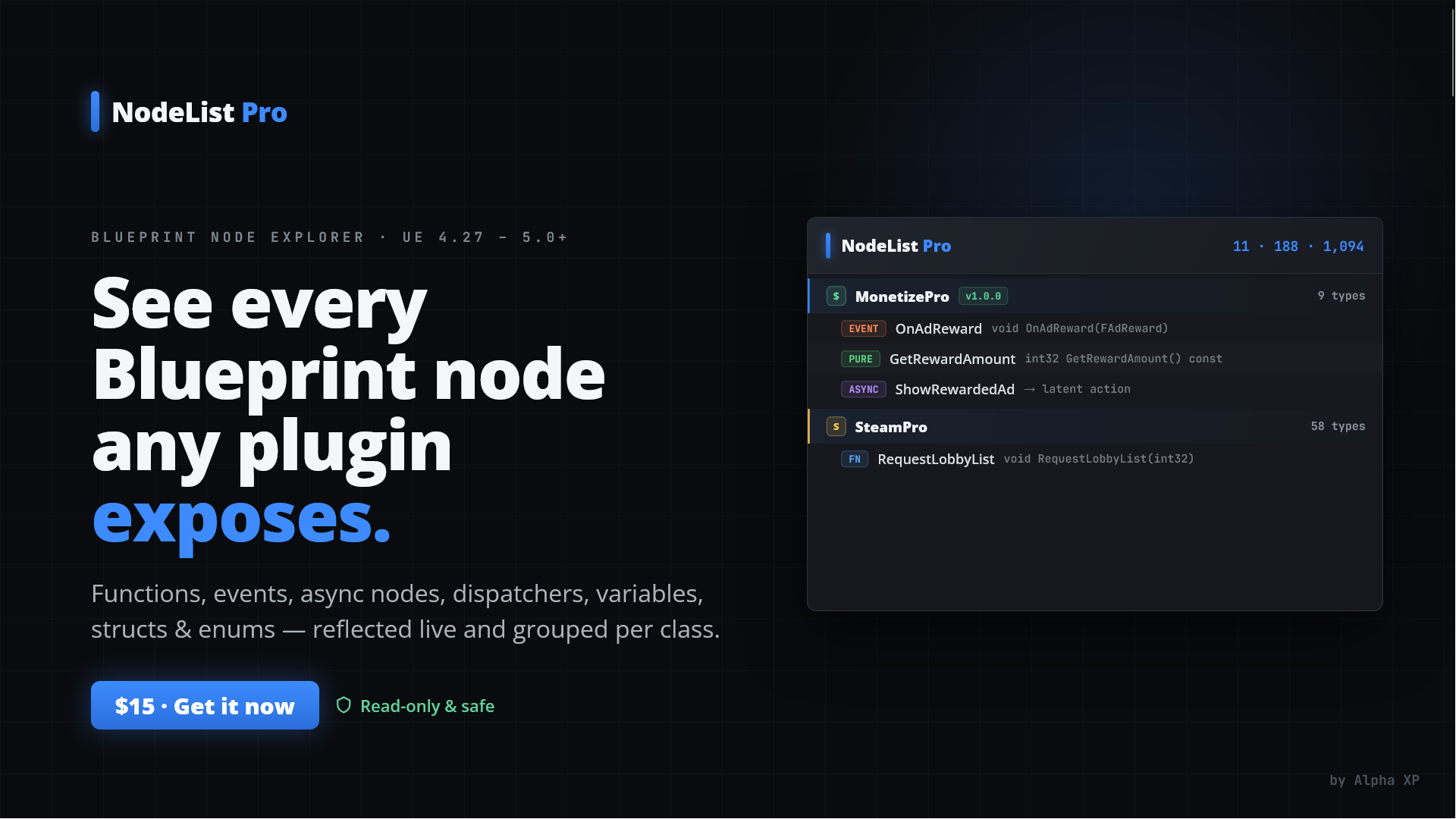
Blueprint node explorer
NodeList Pro answers a simple but tedious question: "What Blueprint nodes does this plugin actually expose?" It reflects over everything the engine has loaded and builds a plugin → class → member tree of every Blueprint-facing API surface:
BlueprintCallable and BlueprintPure functionsBlueprintImplementableEvent / BlueprintNativeEvent eventsUBlueprintAsyncActionBaseBlueprintAssignable multicast delegates (event dispatchers)BlueprintVisible properties (variables), with read-only / read-write statusBlueprintType structs and enumsFor each entry it shows the C++ signature/type, the node's Category metadata, and its tooltip (the in-editor comment). The whole list is searchable and can be exported to Markdown or materialized into a catalog Blueprint.
Main menu → Tools → "Blueprint Node List"
The tab is registered as a nomad tab in the editor's Tools workspace category, so you can dock it anywhere. Its tab icon is the Kismet palette icon.
The panel is split into three stacked regions: a header bar, a toolbar, and the results tree.
┌──────────────────────────────────────────────────────────────────────┐
│ ▍ NodeList Pro                              12 plugins • 84 types •     │  ← Header bar
│   Blueprint node explorer                   631 Blueprint nodes        │
├──────────────────────────────────────────────────────────────────────┤
│ Plugin [ MyPlugin ▾ ] │ 🔍 Filter…        │ ☐ Engine plugins          │  ← Toolbar
│ ☐ Screenshot boxes │ [Refresh] [Export Markdown] [Place in Blueprint]  │
├──────────────────────────────────────────────────────────────────────┤
│ [icon] MyPlugin  v1.0.0   3 types, 47 nodes                            │  ← Results tree
│   └ class  UMyLibrary   12 nodes                                       │
│       ├ FN     DoTheThing   void DoTheThing(int32 Count)  [Utilities]  │
│       ├ PURE   GetValue     float GetValue() const        [Utilities]  │
│       └ VAR    bEnabled     [read/write] bool             [Config]     │
└──────────────────────────────────────────────────────────────────────┘A dark branded band across the top:
| Element | Description |
|---|---|
| Accent stripe + title | "NodeList Pro" with the "Blueprint node explorer" subtitle. |
| Live summary | Right-aligned running totals that update with the current filter: N plugin(s) • N type(s) • N Blueprint node(s). |
A grouped control bar, separated into logical sections by vertical dividers:
| Control | What it does |
|---|---|
| Plugin dropdown | Scope the tree to a single plugin, or choose All plugins. Required before Place in Blueprint is enabled. |
| Filter search box | Live text filter across name, category, and tooltip. When non-empty the whole tree auto-expands; clearing it collapses back to plugin level. |
| Engine plugins checkbox | Off by default (project plugins only). Turn on to also include engine plugins — triggers a full re-scan. |
| Screenshot boxes checkbox | When on, Place in Blueprint also saves a PNG of each category comment box to Saved/NodeListPro/Screenshots/. |
| Refresh | Re-scans all loaded reflection data. Use after loading a new plugin or compiling C++. |
| Export Markdown | Writes the current, filtered list to a .md file. |
| Place in Blueprint | Builds a catalog Blueprint of every node in the selected plugin. Enabled only when a specific plugin is selected. |
A three-level tree: Plugin → Class (or Struct/Enum) → Member. Each row shows, left to right:
[Category] metadata, when presentPlugin and class rows are tinted as section headers; plugin rows get the brand accent and extra padding. Hovering any row shows a tooltip with its name and full tooltip text.
| Badge | Kind | Source |
|---|---|---|
| PLUGIN | Plugin grouping | one per plugin owning ≥1 exposed type |
| CLASS | UClass grouping | native classes with exposed members |
| FN | Function | BlueprintCallable UFUNCTION |
| PURE | Pure function | BlueprintPure UFUNCTION |
| EVENT | Event | BlueprintImplementableEvent / BlueprintNativeEvent |
| ASYNC | Async node | static factory on a UBlueprintAsyncActionBase subclass |
| DISPATCH | Event dispatcher | BlueprintAssignable multicast delegate |
| VAR | Variable | BlueprintVisible UPROPERTY (read-only / read-write) |
| STRUCT | Struct | BlueprintType USTRUCT |
| ENUM | Enum | BlueprintType UENUM (shows value count) |
Plugin rows display metadata read from the plugin's .uplugin descriptor:
Resources/Icon128.png (if present) at 18×18. Plugins without an icon simply show none.FriendlyName is used when set, otherwise the plugin's code name.VersionName, shown as a green v… pill.Icons are loaded from disk once and cached for the panel's lifetime.
Export Markdown writes the currently visible (filtered) list to:
<Project>/Saved/NodeListPro/<Scope>_BlueprintNodes.mdwhere <Scope> is the selected plugin's name, or AllPlugins. A success notification appears
with an Open folder hyperlink. The Markdown groups by plugin (with version and counts), then by
class, then lists each node with its kind, signature, category, and tooltip — ready to paste into a wiki or README.
For a selected plugin, Place in Blueprint creates a new catalog Blueprint under
/Game/NodeListPro/ and spawns every node of that plugin into its Event Graph, grouped per category
inside comment boxes. You're shown a confirmation dialog with the node count first.
Saved/NodeListPro/Screenshots/<AssetName>/.This is handy for producing visual node galleries / documentation of a plugin's API.
FNodeListProCollector::Collect() walks
IPluginManager::Get().GetDiscoveredPlugins(), keeping enabled plugins (and engine plugins only
when the checkbox is on). For each it records a module→plugin map and captures descriptor metadata
(VersionName, FriendlyName, and the Resources/Icon128.png path).UClass, UScriptStruct, and
UEnum objects, skips transient/trash reflection objects (SKEL_, REINST_,
TRASHCLASS_, …), and maps each to its owning plugin via its /Script/<Module> package name.CloneFiltered) and feeds it to an STreeView. The original full tree is preserved for
Place in Blueprint, which always uses the unfiltered set.| Symptom | Fix |
|---|---|
| A plugin is missing from the list | Its modules may not be loaded yet. Open one of its assets (or compile), then click Refresh. Engine plugins require the Engine plugins checkbox. |
| No icon on a plugin row | That plugin has no Resources/Icon128.png. Expected and harmless. |
| No version pill | The plugin's .uplugin has an empty VersionName. |
| Search seems to hide a class | Search matches name/category/tooltip at any level; a class with no matching children is dropped. Clear the filter to see everything. |
| Place in Blueprint is greyed out | Select a specific plugin in the dropdown (not "All plugins"). |
| File | Role |
|---|---|
Private/NodeListProModule.cpp | Registers the Tools → Blueprint Node List nomad tab. |
Private/SNodeListProPanel.{h,cpp} | The Slate panel: header, toolbar, results tree, export, filtering. |
Private/NodeListProCollector.{h,cpp} | Reflection sweep + plugin metadata; builds the tree and the Markdown export. |
Private/NodeListProGraphBuilder.{h,cpp} | Place in Blueprint catalog builder. |
Private/NodeListProScreenshot.{h,cpp} | Optional comment-box screenshot capture. |
NodeListPro.uplugin | Plugin descriptor (version, friendly name, modules). |