BlendFactoryPro - Revolutionary Blender ↔ Unreal Engine 4 Integration
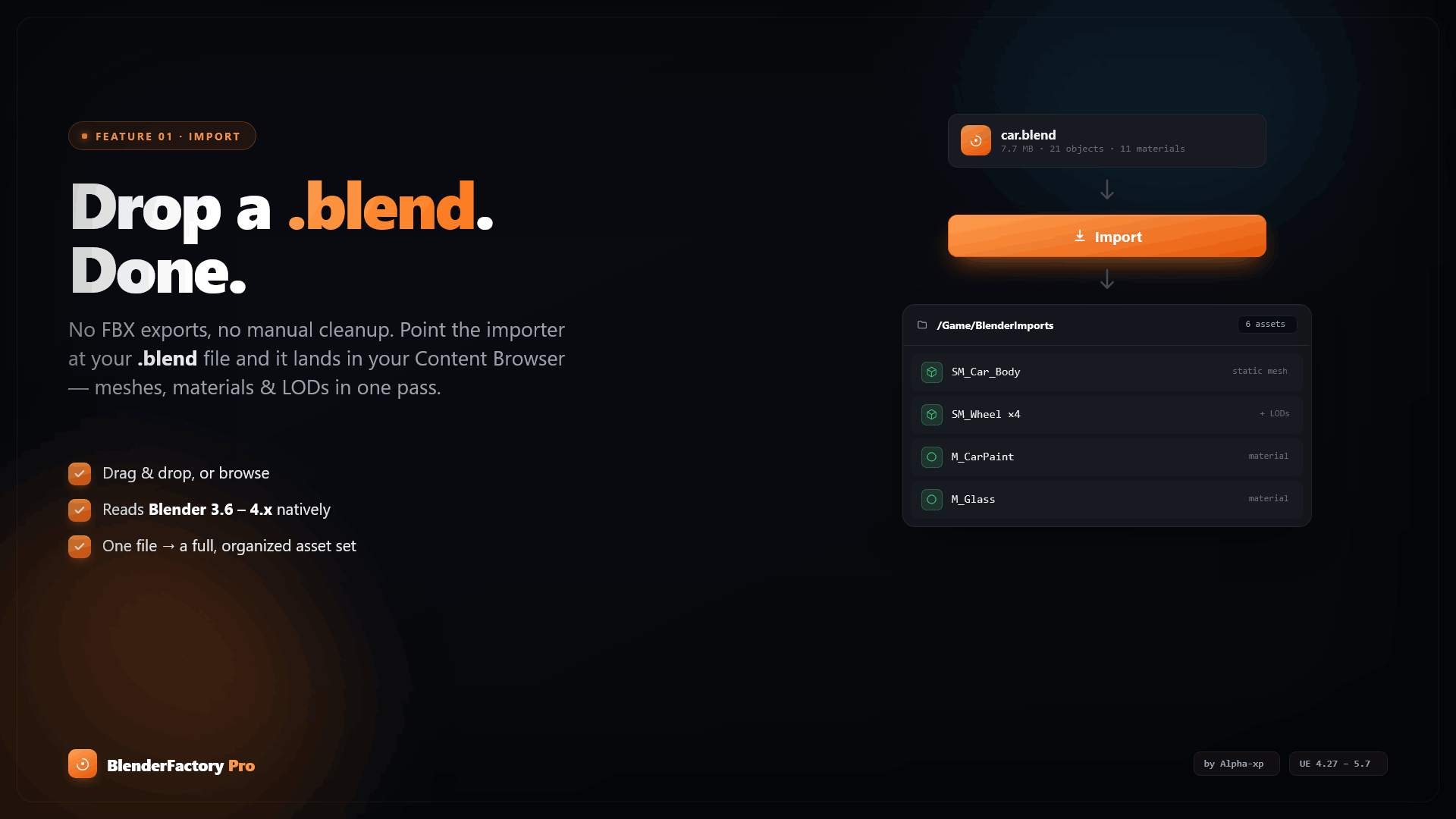
Remove the "export → import → tweak → re-export" cycle forever.
BlendFactoryPro is a powerful UE4 plugin that enables seamless, bidirectional integration between Blender and Unreal Engine 4. Import .blend files directly into UE4 with automatic material translation, live sync, and intelligent reimport workflows.
Features
Phase 1 - Core Features (Implemented)
✅ 1. Direct .blend File Import
- Import
.blendfiles directly into UE4 without manual FBX export - Automatic mesh extraction with vertices, normals, UVs, and faces
- Native support for Blender's mesh structure
✅ 2. Intelligent Material Translation
- Principled BSDF → PBR Material automatic conversion
- Translates Blender material properties:
- Base Color → BaseColor
- Metallic → Metallic
- Roughness → Roughness
- Emission → EmissiveColor
- Normal Maps (auto-detected)
- Automatic Texture Linking: Imports and links textures from Blender
- Material Instance Creation: Creates UE4 material instances automatically
- Custom Naming Conventions: Configurable prefixes/suffixes (e.g.,
M_Rock01_Master)
✅ 3. Selective Reimport
- Right-click context menu in Content Browser
- Reimport options:
- Mesh Only - Update geometry without touching materials
- Materials Only - Refresh materials without rebuilding mesh
- Animations Only - Update animations independently
- Reimport All - Full refresh
- Saves time by only updating what changed
✅ 4. Live Sync Mode
- Real-time file watching: Detects when
.blendfiles are saved in Blender - Automatic reimport: Updates assets in UE4 instantly
- Auto-viewport refresh: See changes immediately in the viewport
- Thread-safe implementation: Non-blocking background monitoring
- Enable/disable via Project Settings
✅ 5. Headless Blender Integration
- Runs Blender in background mode (
blender --background) - No UI overhead - pure data extraction
- Python script execution: Custom scripts for mesh/material/animation extraction
- JSON-based data exchange: Structured data pipeline
- Auto-detection: Finds Blender installation automatically
✅ 6. Blender Python Bridge
- Executes Python scripts inside Blender
- Extracts structured data as JSON:
ExtractMeshData()- Vertices, normals, UVs, facesExtractMaterialData()- Node graphs, textures, propertiesExtractAnimationData()- NLA tracks, actions, keyframes- BMesh support: Accurate mesh topology
- Node tree parsing: Deep material analysis
Installation
1. Plugin Installation
- Copy
BlendFactoryprofolder to:<YourProject>/Plugins/ - Restart Unreal Editor
- Enable plugin: Edit > Plugins > BlendFactoryPro
2. Blender Setup
Install Blender (tested with 3.3+, 4.0+):
- Windows:
C:/Program Files/Blender Foundation/Blender X.X/blender.exe - macOS:
/Applications/Blender.app/Contents/MacOS/Blender - Linux:
/usr/bin/blender
The plugin auto-detects common paths. For custom installations:
- Go to Edit > Project Settings > Plugins > BlendFactoryPro
- Set Blender Executable Path
Usage
Basic Import
- Drag & Drop a
.blendfile into the Content Browser - OR -
- Right-click in Content Browser → Import Asset → Select
.blendfile
The plugin will:
- Extract all meshes
- Convert materials to UE4 PBR
- Link textures automatically
- Create material instances
Live Sync Workflow
Enable Live Sync:
- Edit > Project Settings > Plugins > BlendFactoryPro
- Check Enable Live Sync
- (Optional) Check Auto Viewport Refresh
Workflow:
- Import a
.blendfile into UE4 - Edit the file in Blender
- Save in Blender (
Ctrl+S) - UE4 auto-reimports instantly
Perfect for:
- Iterative modeling
- Real-time sculpting feedback
- Material tweaking
Selective Reimport
Right-click on imported asset in Content Browser → Blend File Reimport → Choose:
- Reimport Mesh Only - Geometry updates only
- Reimport Materials Only - Material/texture updates
- Reimport Animations Only - Animation updates
- Reimport All - Full refresh
Configuration
Project Settings
Edit > Project Settings > Plugins > BlendFactoryPro
| Setting | Description | Default |
|---|---|---|
| Blender Executable Path | Path to blender.exe / Blender | Auto-detected |
| Enable Live Sync | Auto-reimport on file save | false |
| Auto Viewport Refresh | Refresh viewport after reimport | true |
| Material Prefix | Prefix for material names (e.g., "M_") | M_ |
| Material Suffix | Suffix for material names | (empty) |
| Import Materials | Import materials by default | true |
| Import Animations | Import animations by default | true |
| Use Headless Blender | Run Blender in background | true |
| Script Timeout | Max time for Blender scripts (seconds) | 60 |
| Verbose Logging | Enable detailed logs | false |
How It Works
1. Import Pipeline
.blend file → Blender Python Bridge → JSON Data → UE4 Factory → Assets
Steps:
- User imports
.blendfile - Plugin launches Blender in headless mode
- Executes Python script to extract data (vertices, materials, etc.)
- Python script outputs structured JSON
- Plugin parses JSON and builds UE4 assets
- Materials are translated from Principled BSDF to PBR
- Textures are imported and linked
2. Material Translation
Blender Principled BSDF → UE4 PBR Material
| Blender Property | UE4 Parameter | Notes |
|---|---|---|
| Base Color | BaseColor | Direct RGBA mapping |
| Metallic | Metallic | 0.0 - 1.0 range |
| Roughness | Roughness | 0.0 - 1.0 range |
| Emission | EmissiveColor | RGB values |
| Normal (Texture) | NormalTexture | Auto-detected by name |
Texture Auto-Detection:
- Files with "Base", "Diffuse", "Albedo" →
BaseColorTexture - Files with "Normal" →
NormalTexture - Files with "Roughness" →
RoughnessTexture - Files with "Metallic" →
MetallicTexture
3. Live Sync Architecture
File Watcher Thread → Detects .blend Save → Triggers Reimport (Game Thread) → Viewport Refresh
- Background thread monitors file timestamps
- 1-second polling interval (low CPU usage)
- Thread-safe with critical sections
- Game thread dispatch for UE4 API calls
Roadmap
Phase 2 - Power Features (Planned)
- [ ] Animation Stream Import - NLA track support, multiple actions
- [ ] Bidirectional Metadata Sync - Store UE4 data in Blender CustomProperties
- [ ] Batch Import - Multi-file import with progress UI
Phase 3 - Advanced (Planned)
- [ ] Texture Baking Pipeline - Auto-bake AO, Normal, Roughness in Blender
- [ ] Procedural Asset Variants - Generate color/material variants from metadata
- [ ] Blueprint Auto-Generation - Convert Blender objects to Blueprint Actors
Phase 4 - Polish (Planned)
- [ ] Asset Dependency Visualizer - Node graph showing .blend → mesh → materials → Blueprints
- [ ] Blender to Blueprint Conversion - Smart object → Blueprint component mapping
Troubleshooting
Issue: "Blender executable not found"
Solution:
- Go to Project Settings > Plugins > BlendFactoryPro
- Set Blender Executable Path manually
- Verify path exists and points to
blender.exe(Windows) orBlender(Mac/Linux)
Issue: Live Sync not working
Solution:
- Ensure Enable Live Sync is checked in settings
- Import asset at least once first
- Verify
.blendfile path hasn't changed - Check logs for file watcher errors (
Window > Developer Tools > Output Log)
Issue: Materials not importing
Solution:
- Ensure materials use Principled BSDF shader in Blender
- Check that Import Materials is enabled in settings
- Verify textures paths are accessible (absolute or relative to
.blendfile) - Enable Verbose Logging for detailed material parsing info
Issue: Script timeout errors
Solution:
- Increase Script Timeout in settings (default: 60 seconds)
- Complex
.blendfiles may need 120+ seconds - Simplify Blender scene (remove unused objects/materials)
Requirements
- Unreal Engine: 4.27+ (tested)
- Blender: 3.3+ or 4.0+ (recommended)
- Platform: Windows, macOS, Linux
Technical Details
Architecture
Modules:
FBlendFileFactory- UFactory implementation for.blendimport/reimportFBlenderPythonBridge- Headless Blender execution and data extractionFBlenderMaterialTranslator- Material graph conversion (Blender → UE4)FBlendFileLiveSync- File watcher thread for live syncFBlendFileReimportContextMenu- Content Browser menu extensions
Data Flow:
.blend file
    ↓
FBlenderPythonBridge::ExtractMeshData()
    ↓
Blender (headless) executes Python script
    ↓
JSON output (vertices, normals, UVs, faces)
    ↓
FBlendFileFactory::ImportStaticMesh()
    ↓
UStaticMesh created
    ↓
FBlenderMaterialTranslator::TranslateMaterials()
    ↓
UMaterialInstanceConstant created
Python Scripts
Mesh Extraction (GenerateMeshExtractionScript()):
- Uses
bmeshfor accurate topology - Exports vertices, normals, UVs, faces as JSON
- Material slot mapping
Material Extraction (GenerateMaterialExtractionScript()):
- Parses node tree (Principled BSDF, Texture nodes)
- Extracts input values (Base Color, Roughness, etc.)
- Texture file paths
Animation Extraction (GenerateAnimationExtractionScript()):
- Exports all actions and NLA tracks
- FCurve keyframe data
- Frame ranges
Performance
- Import Speed: ~1-5 seconds per mesh (depends on complexity)
- Live Sync Overhead: ~0.1% CPU (1Hz polling)
- Headless Blender Startup: ~2 seconds first run, cached afterward
License
Copyright Epic Games, Inc. All Rights Reserved.
Credits
Created by: Alpha xp Support: https://support.alphaxp.me
Contributing
Feature requests and bug reports welcome:
- Check existing issues
- Provide
.blendfile sample if possible - Include UE4 logs (
Window > Developer Tools > Output Log)
Changelog
v1.0.0 (Current)
- ✅ Direct
.blendimport - ✅ Material translation (Principled BSDF → PBR)
- ✅ Selective reimport (mesh/materials/animations)
- ✅ Live Sync Mode
- ✅ Headless Blender integration
- ✅ Blender Python Bridge
- ✅ Project Settings configuration
BlendFactoryPro - Because 3D artists deserve better workflows. 🚀